

bus route optimization, Dispatch Software, asset school bus tracking system, best gps device for school bus, driver navigation, easy gps tracker for school bus
Play blog summary Listen
School transportation directors face a daily reality: student information lives in one system, GPS data flows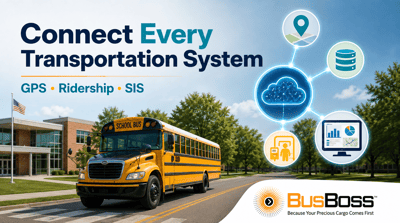 from another, and ridership verification happens somewhere else entirely. When these systems do not communicate, visibility gaps emerge. Dispatchers cannot see real-time bus locations alongside student assignments. Parents call asking where the bus is because the tracking app shows outdated information.
The root of the problem is fragmented technology. Many districts built their tech stacks over years, adding GPS hardware from one vendor, routing software from another, and a parent app from a third. Each system works independently, but getting them to share data in real time is where things break down.
This guide explains the main barriers to integrating live GPS, ridership, and SIS data with school routing software. You will learn practical steps to reduce sync failures, close visibility gaps, and build a unified data flow that gives your team control over daily operations.
What Is Live Data Integration in School Routing Software?
Live data integration means connecting multiple software systems so they share information automatically and in real time. For school transportation, this typically involves three core data streams: GPS location data from buses, student ridership information from scanners or apps, and enrollment data from your Student Information System.
When these streams flow into your routing software without manual intervention, you create what transportation professionals call a "single source of truth." Every stakeholder, from dispatchers to parents, sees the same accurate, current information.
The Three Core Data Streams
GPS data tells you where each bus is right now, how fast it is moving, and whether it is following the planned route. This data typically updates every 10 to 30 seconds, depending on your hardware configuration.
Ridership data shows which students boarded at each stop and when they exited the bus. This information is critical for accountability, compliance reporting, and answering parent questions about whether their child made it to school.
SIS data includes student addresses, school assignments, emergency contacts, and special transportation requirements. When a family moves or a student changes schools, this information must reach your routing software quickly to prevent errors.
Common Barriers to Successful Data Integration
Transportation directors often describe integration projects that stalled or failed. Understanding why these projects break down helps you avoid the same mistakes.
Mismatched Data Formats and Field Mapping
Your SIS might store addresses in one format while your routing software expects another. A student ID might be eight digits in one system and ten in another. These small differences cause sync failures that accumulate into major operational headaches.
Field mapping is the process of telling each system how to translate its data for the other. Poor field mapping is one of the most common reasons integration projects fail in the first month.
Outdated or Incompatible APIs
Application Programming Interfaces connect software systems. Older systems may use legacy APIs that cannot support real-time data exchange. Some vendors charge extra for API access or limit how frequently you can request data updates.
Before starting an integration project, verify that each vendor in your tech stack offers modern API access with documented endpoints and reasonable rate limits.
Network and Connectivity Issues
Live GPS data requires reliable cellular connectivity. In rural districts, buses may travel through areas with poor signal coverage, causing location data to lag or disappear entirely. GPS tracking systems need to handle these gaps gracefully, storing data locally and syncing when connectivity returns.
Your internal network also matters. If your routing software runs on premises and cannot handle the data volume from real-time GPS feeds, you will experience slowdowns and sync failures during peak morning and afternoon runs.
Vendor Lock-In and Data Silos
Some vendors design their systems to keep your data inside their ecosystem. They may limit export options, charge for data access, or use proprietary formats that do not work with other tools. This creates silos where information is trapped and cannot flow to the systems that need it.
How Sync Failures Affect Daily Operations
When data integration breaks down, the effects ripple through your entire operation. Understanding these impacts helps you make the case for investing in better integration.
Increased Parent Call Volume
Parents call when they do not know where the bus is. If your parent app shows stale GPS data or incorrect arrival times, your office staff spends hours answering questions that a working system would handle automatically. Some districts report call volumes dropping significantly after implementing reliable live tracking.
Delayed Response to Route Disruptions
When a bus breaks down or a driver calls out sick, dispatchers need current information to reassign routes quickly. If your systems are not synced, dispatchers may not know which students are affected or where substitute drivers should go. Real-time dispatch tools can only work as well as the data feeding them.
Compliance and Reporting Gaps
State funding often depends on accurate ridership data. If your systems do not sync properly, you may underreport student transportation, leaving money on the table. Worse, inconsistent records can create audit problems and liability exposure if an incident occurs.
Step-by-Step Process for Integrating Live Data
Successful integration is not a one-time project. It is an ongoing process of configuration, testing, monitoring, and refinement. Here is a practical framework.
Step 1: Audit Your Current Systems
Document every system in your transportation tech stack. Note the vendor, software version, data it contains, and how it currently connects to other systems. Identify which systems already have API access and which would require custom development or vendor cooperation.
This audit also helps you identify redundant systems. Some districts discover they are paying for overlapping tools that could be consolidated.
Step 2: Define Your Data Flow Requirements
Decide which data needs to flow where and how often. For GPS data, real-time updates every 10 to 30 seconds are typical. For SIS data, nightly batch syncs may be sufficient for most enrollment changes, but address updates may need faster turnaround.
Create a simple diagram showing each data source, its destination, and the update frequency. This becomes your integration blueprint.
Step 3: Establish Data Standards and Mapping
Work with your IT team and vendors to agree on data formats. Standardize how addresses are formatted, how student IDs are structured, and how timestamps are recorded. Document every field mapping so future staff can understand and maintain the integration.
Step 4: Test in a Controlled Environment
Never deploy a new integration directly to production. Create a test environment where you can verify that data flows correctly without affecting live operations. Run test scenarios that simulate common situations: a student address change, a bus GPS outage, a mid-year enrollment.
Step 5: Deploy and Monitor
Roll out the integration in phases. Start with a small group of routes or a single school, monitor for issues, and expand gradually. Set up automated alerts that notify your team when sync errors occur so you can address problems before they affect operations.
Best Practices for SIS Integration
Connecting your Student Information System to your routing software is often the highest-impact integration you can make. Here is how to do it right.
Choose the Right Integration Method
APIs are the modern standard for real-time data exchange. When a student's address changes in your SIS, an API can push that update to your routing software immediately. This is the approach districts need when accuracy matters most.
SFTP (Secure File Transfer Protocol) is an alternative that works well for batch updates. Your SIS exports a data file overnight, and your routing software imports it the next morning. This method is reliable and well-established, though it introduces a delay between changes and updates.
Implement Data Validation Rules
Not every data change should automatically update your routes. Build validation rules that flag unusual changes for human review. For example, if an address change would move a student to a stop 20 miles from their previous location, the system should alert a staff member rather than automatically reassigning the student.
Maintain Security and Compliance
Student data is protected by FERPA and other regulations. Any integration must encrypt data in transit and at rest. Implement role-based access controls so staff members only see the information they need for their specific duties. Conduct regular security audits to verify your integration meets compliance requirements.
How to Integrate GPS Tracking With Routing Software
Live GPS data transforms static route plans into dynamic operational tools. Here is how to make that connection work.
Select Compatible Hardware
Your GPS hardware must work with your routing software. Some routing platforms only support specific GPS vendors, while others, like the BusBoss platform, are designed to integrate with multiple hardware providers. Verify compatibility before purchasing new equipment.
Configure Update Frequency
More frequent updates mean more accurate tracking, but they also require more bandwidth and processing power. For most operations, updates every 10 to 30 seconds strike a good balance. Adjust based on your specific needs and network capacity.
Handle Connectivity Gaps
GPS devices should store location data locally when cellular connectivity is unavailable. When the connection returns, the device uploads the stored data to maintain a complete record of the bus's path. Verify that your hardware and software support this "store and forward" capability.
Use Geofencing for Automated Alerts
Geofencing creates virtual boundaries around important locations like schools, bus yards, and known problem areas. When a bus enters or exits a geofenced zone, the system can trigger automated notifications or log the event. This helps track on-time performance and identify route adherence issues.
Integrating Ridership Data for Student Accountability
Knowing which students are on which bus at any moment is essential for safety and compliance. Student tracking systems capture this data, but it must flow to your routing software to be useful.
Capture Data at the Point of Boarding
Student ridership can be captured through card scanners, mobile apps, or biometric systems. The method you choose affects data accuracy and the speed of capture. Card scanners are fast but can be lost or shared. App-based check-ins require students to have devices. Each approach has trade-offs.
Sync Ridership With Route Plans
Your routing software should show expected ridership alongside actual ridership in real time. This comparison reveals no-shows, unexpected boardings, and potential issues before they become problems.
Generate Compliance Reports
Accurate ridership data supports state reporting requirements and funding applications. Your integration should make it easy to generate reports showing student transportation counts, ride times, and other metrics auditors may request.
Building a Unified Data Flow for District Control
The goal of live data integration is not just connecting systems. It is giving your team visibility and control over daily transportation operations.
Create a Centralized Dashboard
Transportation directors and dispatchers need a single view that shows bus locations, student ridership, route progress, and alerts. The SmartRoute Dashboard in BusBoss is an example of this centralized approach, bringing together data from multiple sources into one interface.
Enable Proactive Problem Solving
With unified data, your team can spot issues before they escalate. If a bus is running late, dispatchers see it immediately and can notify affected schools. If a student did not board at their stop, staff can investigate before a parent calls in a panic.
Support Data-Driven Decisions
Historical data from integrated systems reveals patterns that inform long-term planning. You can identify routes that consistently run late, stops that cause delays, and times when ridership drops. This analysis supports route optimization and resource allocation decisions.
Differentiating Through Unified Data Flow
Many school routing software vendors offer routing features, but not all deliver true integration. When evaluating platforms, ask specific questions about how data flows between components.
Questions to Ask Vendors
Does your platform connect routing, GPS tracking, student ridership, and parent communication in a single system? How quickly does data sync between components? What happens when connectivity is lost?
Can you integrate with my existing SIS platform? What security measures protect student data during transfer and storage? Who provides support when integration issues arise?
Why District Control Matters
Some vendors store your data in their cloud and limit your access to it. If you switch providers, you may lose years of historical records. BusBoss is designed with district data ownership in mind, ensuring you retain control over your transportation data.
Direct integrations with major SIS platforms like PowerSchool, Tyler SIS, and Infinite Campus mean fewer custom development projects and faster implementation. U.S.-based support teams can help troubleshoot integration issues without timezone delays.
Avoiding Common Integration Mistakes
Experience shows that certain mistakes derail integration projects repeatedly. Here is how to avoid them.
Do Not Skip the Planning Phase
Rushing into integration without documenting requirements leads to rework and frustration. Take time to map your data flows, define success criteria, and involve all stakeholders before writing any code or configuring any settings.
Do Not Underestimate Change Management
New technology only works if your team uses it correctly. Train dispatchers, drivers, and office staff on how the integrated system works. Explain what data they will see, how to interpret it, and what to do when something looks wrong.
Do Not Ignore Ongoing Maintenance
Integration is not a one-time project. Software updates, API changes, and new requirements will require adjustments over time. Budget for ongoing maintenance and designate someone responsible for monitoring integration health.
Measuring Integration Success
How do you know if your integration is working? Track these metrics before and after implementation.
Sync Error Rate
Monitor how often data fails to sync between systems. A well-designed integration should have error rates below one percent. If errors spike, investigate immediately.
Data Freshness
Measure the time between a change in one system and its appearance in another. For GPS data, this should be seconds. For SIS data, it depends on your configuration, but address changes should reach your routing software within hours, not days.
Parent Call Volume
Track calls related to bus location and student status. A successful integration should reduce these calls significantly as parents gain access to accurate, real-time information through your parent communication app.
On-Time Performance
With better data, your team can identify and address delays more quickly. Track on-time arrival rates at schools and compare them to pre-integration baselines.
FAQs About How to Integrate Live Data With School Routing Software
What is the biggest challenge when integrating GPS data with routing software?
Network connectivity in rural areas is often the main obstacle. Buses traveling through zones with poor cellular coverage may experience GPS data gaps. BusBoss addresses this by storing location data locally on the device and syncing when connectivity returns, ensuring a complete record of each route.
How often should SIS data sync with routing software?
Most districts find that nightly batch syncs work well for routine enrollment changes. However, address updates and emergency contact changes should sync more quickly, ideally within hours. BusBoss LiveSYNC supports both scheduled batch imports and real-time API connections depending on your district's needs.
Can I integrate routing software with GPS hardware from different vendors?
Yes, but compatibility varies. Some routing platforms are designed to work with specific GPS providers, while others offer open integration. BusBoss integrates with multiple GPS hardware vendors, giving districts flexibility to use existing equipment or choose new devices based on features rather than compatibility constraints.
How do I prevent sync errors from affecting student assignments?
Implement validation rules that flag unusual changes for human review before they update routes. For example, if an address change would move a student more than five miles, the system should alert staff rather than automatically reassigning. BusBoss includes configurable validation rules to prevent data errors from reaching drivers.
What security measures should protect integrated student data?
All data must be encrypted in transit and at rest. Use role-based access controls so staff only see information relevant to their duties. Conduct regular security audits and verify that all vendors in your tech stack comply with FERPA requirements. BusBoss uses encrypted APIs and maintains strict access controls to protect student privacy.
How long does a typical integration project take?
Simple SIS integrations can be completed in as little as 3 days. More complex projects involving multiple GPS vendors, custom field mapping, and extensive testing may take one to two weeks. The timeline depends on data quality, vendor cooperation, and your district's internal resources. BusBoss implementation teams work with districts to establish realistic timelines based on specific requirements.
Book a free demo today!

PRESIDENT
Sonia has been involved with BusBoss since the late 1990’s, and has personally overseen many projects for various customers ranging from large urban and suburban districts to smaller rural school districts from all over the country.

 (484) 941-0820