

bus route optimization, Dispatch Software, asset school bus tracking system, best gps device for school bus, driver navigation, easy gps tracker for school bus
Play blog summary Listen
Browser-based GIS routing refers to school bus routing software that runs entirely through a web browser rather than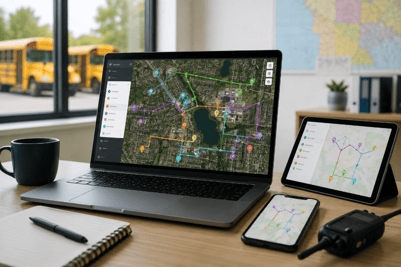 requiring local desktop installation. Instead of installing applications on individual workstations, transportation teams access the full routing workspace through Chrome, Edge, Safari, or another compatible browser.
This approach brings Geographic Information System (GIS) mapping capabilities directly into your workflow. You can view satellite imagery, road networks, hazard zones, and student locations on detailed maps without switching between programs. The browser becomes your command center for planning, optimizing, and managing every route in your district.
For school transportation directors managing multiple buildings or sites, this shift removes significant friction from daily operations. Your team can access routing data from any computer with internet access, whether they are at the transportation office, a school building, or working remotely during emergencies.
Why Are Districts Moving to Browser-Based Routing Platforms?
Traditional desktop routing software creates bottlenecks that slow down transportation departments. When software lives on a single workstation, only one person can make updates at a time. Route sheets must be printed, distributed, and manually updated whenever changes occur.
Browser-based platforms solve these problems by centralizing data in the cloud while making it accessible from anywhere. Multiple users can work on routes simultaneously, and updates appear instantly across all connected devices. This is particularly valuable during the hectic first weeks of school when student assignments change daily.
Reduced IT Burden and Faster Deployment
Installing desktop software across an entire district requires coordination with IT departments, hardware compatibility checks, and ongoing maintenance. Browser-based solutions cut through this complexity. If a device can run a modern web browser, it can access your routing workspace.
This simplicity accelerates deployment timelines. Districts that previously spent months rolling out new routing software can now get teams operational in weeks. Updates happen automatically on the server side, eliminating the need for IT staff to push patches to individual machines.
Accessibility for Distributed Teams
Modern transportation departments often include staff at multiple locations. Routers may work at the central office while dispatchers operate from individual schools. Mechanics need access to route information to coordinate vehicle assignments.
A browser-based workspace gives everyone authorized access to the same information without complicated VPN setups or remote desktop connections. When a bus breaks down at 6:30 AM, your dispatcher can reassign routes from a tablet at home before heading to the office.
Common Barriers to Districtwide Software Rollout
Even with clear benefits, many districts struggle to deploy dispatch and routing tools across their entire operation. Understanding these barriers helps you plan a more successful implementation.
Hardware Limitations and Budget Constraints
Desktop software often requires specific hardware specifications that older computers cannot meet. When half your workstations need upgrades before the software will run, costs multiply quickly. Browser-based routing runs on existing hardware, including older machines that can still handle modern web browsers.
Budget cycles in education rarely align with technology needs. A solution that works on current equipment allows you to spread hardware investments over time rather than requiring a large upfront purchase.
Training and Adoption Challenges
New software means new training, and busy transportation teams rarely have time for extended learning curves. Web-based interfaces tend to follow familiar patterns that most users already understand from other online tools. Navigation, data entry, and report generation work similarly to applications staff already use daily.
This familiarity speeds adoption and reduces resistance to change. When your team can start using new routing tools within hours rather than days, productivity remains high during the transition period.
Data Migration and Integration Concerns
Your student information system contains the enrollment data that drives routing decisions. Your GPS hardware tracks bus locations. Your dispatch system manages daily operations. All of these systems need to communicate with your routing platform.
Browser-based platforms with robust API connections simplify these integrations. BusBoss SIS API integration connects directly to PowerSchool, Tyler SIS, Infinite Campus, and other student information systems. This connection ensures routing decisions reflect current enrollment data without manual imports.
How Real-Time Collaboration Improves Transportation Team Efficiency
Collaboration in traditional routing workflows means emailing spreadsheets back and forth or waiting for one person to finish editing before another can begin. This creates version control problems and slows decision-making during critical periods.
Real-time collaboration changes this dynamic entirely. Multiple staff members can work on different aspects of the routing plan simultaneously, with changes visible to everyone as they happen.
Simultaneous Editing Without Conflicts
When your senior router adjusts bell time schedules while a colleague updates student addresses, both changes apply to the same central dataset. No more merging conflicting spreadsheets or discovering that someone overwrote your work.
This capability proves especially valuable during redistricting projects or major schedule changes. Tasks that previously required sequential completion can now happen in parallel, cutting project timelines significantly.
Instant Communication Across Locations
Browser-based platforms typically include messaging and notification features that keep team members informed. When a route change affects multiple schools, everyone who needs to know receives alerts automatically.
The BusBoss DISPATCHpatrol system takes this further by connecting dispatchers directly with drivers through tablet apps. Route updates push to driver devices in real time, eliminating the need to radio changes or print new route sheets.
Understanding Live Data Integration Requirements
Browser-based routing reaches its full potential when connected to live data sources throughout your operation. This integration creates a dynamic system that responds to real-world conditions rather than operating on outdated information.
Student Information System Connections
Student enrollment changes constantly. New registrations, withdrawals, address changes, and custody modifications all affect routing decisions. Manual data entry introduces delays and errors that compound over time.
Direct SIS integration keeps your routing database current without manual intervention. When a student's address changes in the enrollment system, that update flows automatically into your routing workspace. LiveSYNC technology handles this synchronization, ensuring routing decisions always reflect current student information.
GPS and Telematics Data
Planned routes look great on paper, but actual road conditions determine whether buses arrive on time. Live GPS tracking reveals where buses actually travel, how long routes really take, and where delays consistently occur.
This operational data feeds back into routing decisions. If GPS tracking shows that a particular route consistently runs fifteen minutes late, you have concrete evidence to justify adjustments. TRIPpatrol GPS tracking captures this information and generates deviation alerts when buses stray from planned routes.
Dispatch and Operations Data
Daily operations generate information that informs routing improvements. Which buses had mechanical issues? Which drivers called out? Which routes received parent complaints? Capturing this data in a connected system creates opportunities for continuous improvement.
When dispatch operations integrate with routing, patterns become visible. You might discover that certain routes consistently require driver overtime, or that specific bus stops generate repeated safety concerns. This intelligence drives smarter planning decisions.
GIS Mapping Features That Matter for School Transportation
Geographic Information Systems do more than display maps. For school transportation, GIS capabilities enable safety analysis, efficiency optimization, and regulatory compliance that manual methods cannot match.
Hazard Identification and Avoidance
School buses navigate complex environments with unique safety requirements. Railroad crossings, construction zones, areas with known gang activity, and locations near registered sex offenders all require consideration during route planning.
GIS-enabled routing software can overlay these hazard layers on your maps. SafeRoute Planning features integrated threat databases that alert you when planned stops fall within danger zones. This proactive approach to safety planning protects students without requiring manual research for every route change.
Walking Distance and Stop Placement Analysis
State regulations and district policies set maximum walking distances to bus stops. Verifying compliance manually for thousands of students consumes enormous time and introduces error risk.
GIS tools calculate actual walking distances along road networks, not just straight-line measurements. This precision ensures stop placements meet policy requirements while minimizing the total number of stops needed. Fewer stops means shorter routes and reduced operating costs.
Boundary Management and Redistricting
School boundaries determine which students attend which buildings, directly affecting transportation needs. When boundaries change, routing must adjust accordingly.
Browser-based GIS routing lets you model boundary scenarios before finalizing decisions. You can visualize how proposed changes affect bus routes, student ride times, and fleet requirements. This analysis supports informed decision-making by school boards and administrators.
Evaluating Browser-Based Routing Platforms
Not all browser-based routing solutions deliver equal value. As you evaluate options, focus on capabilities that address your specific operational challenges.
Core Routing Functionality
Basic routing features should include automated route optimization, student assignment management, bell time scheduling, and report generation. Look for systems that handle both regular education and special needs transportation, including door-to-door service requirements and medical accommodations.
BusBoss ROUTEpatrol Web delivers the core power of advanced routing software through a web interface. You get the same routing depth available in desktop applications without sacrificing accuracy or flexibility.
Integration Capabilities
Ask vendors specifically about their integration options. Which student information systems do they support? How does GPS data flow into the routing system? Can dispatch operations connect to the routing database?
Direct integrations matter more than generic import/export capabilities. Real-time connections keep data synchronized automatically, while manual imports require staff time and introduce potential for errors.
Support and Training Resources
Even intuitive software requires support during implementation and ongoing use. Evaluate the vendor's support model carefully. Live phone support with U.S.-based staff provides faster problem resolution than email-only ticketing systems.
Training resources should include both initial implementation training and ongoing skill development. Video tutorials, documentation libraries, and regular webinars help your team maximize the platform's capabilities over time.
Implementation Best Practices for Browser-Based Routing
Successful deployment requires planning beyond just selecting software. These practices help ensure your transition to browser-based routing delivers expected benefits.
Start with Data Quality
Your routing outcomes depend entirely on data accuracy. Before implementing new software, audit your student addresses, school locations, and bus stop databases. Clean data produces clean routes.
Take time to verify geographic coordinates, correct formatting inconsistencies, and remove outdated records. This preparation pays dividends throughout the implementation process and beyond.
Plan for Change Management
Technology changes succeed when people embrace them. Communicate clearly with your team about why the change is happening, what benefits they will experience, and how training will prepare them for the new system.
Identify champions within your department who can help colleagues adapt. These informal leaders often provide the peer support that makes adoption successful.
Phase Your Rollout
Attempting to change everything at once creates unnecessary risk. Consider implementing browser-based routing with a subset of routes or schools first. This approach lets you identify and resolve issues before they affect the entire district.
A phased rollout also builds internal expertise. Staff who master the system early can help train colleagues during subsequent phases.
Measuring Success After Implementation
How do you know if browser-based routing delivers on its promises? Establish baseline metrics before implementation and track changes over time.
Operational Efficiency Metrics
Track the time required to complete common tasks. How long does it take to add a new student to routes? How quickly can you respond to a driver absence? Quantifying these improvements demonstrates return on investment.
Fleet utilization metrics reveal whether optimized routes reduce the number of buses needed. Even eliminating one or two buses from daily operations generates significant annual savings.
Cost Reduction Measurements
Monitor fuel consumption, driver overtime, and maintenance expenses. Efficient routes reduce miles driven, which directly affects these cost categories. Districts implementing modern route optimization often report savings between 10% and 30%.
Compare costs on a per-student-transported basis to account for enrollment changes. This metric provides the clearest picture of whether your transportation operation is becoming more efficient over time.
Safety and Compliance Indicators
Track incidents related to routing decisions, including students waiting at wrong stops, buses arriving late to schools, and parent complaints about ride times. Improvements in these areas indicate that better data and planning translate to better outcomes for students.
Audit compliance with maximum ride time policies and other regulations. Browser-based systems with integrated reporting make these audits straightforward.
The Future of School Bus Routing Technology
Browser-based routing represents the current state of the art, but the technology continues advancing. Understanding emerging trends helps you make forward-looking decisions.
Enhanced Predictive Analytics
AI-powered tools increasingly help transportation departments anticipate problems before they occur. Predictive maintenance algorithms analyze vehicle data to flag buses likely to need repairs. Enrollment forecasting helps plan capacity needs for future years.
The SmartRoute Dashboard already brings AI-enhanced views to routing data. Expect these capabilities to expand as machine learning technologies mature.
Deeper Integration Across School Operations
Transportation increasingly connects to other school systems beyond enrollment databases. Attendance tracking, food service, and after-school programs all have transportation implications. Future platforms will likely integrate more deeply with these systems.
Parents also expect more visibility into transportation operations. Parent-facing mobile apps that show real-time bus locations and provide arrival notifications have become standard expectations rather than premium features.
Environmental Sustainability Features
Electric school bus adoption is accelerating, driven by federal funding programs and environmental goals. Routing software must adapt to manage mixed fleets that include both diesel and electric vehicles with different range capabilities.
Carbon footprint tracking and reporting features help districts demonstrate environmental progress to their communities. Expect browser-based platforms to incorporate these sustainability metrics more prominently.
Getting Started with Browser-Based School Routing
Moving from traditional desktop routing to a browser-based platform requires commitment, but the benefits justify the effort. Modern school transportation demands tools that match the pace of daily operations.
Start by evaluating your current pain points. Where does your team spend the most time on manual processes? Which information gaps cause the biggest problems? These insights guide your requirements as you evaluate platforms.
Request demonstrations from multiple vendors and involve your team in the evaluation process. The people who will use the system daily can identify usability issues that might not appear during a brief sales presentation.
BusBoss brings over 25 years of experience helping school districts manage transportation with confidence. The Student Safety Technology Stack combines browser-based routing with GPS tracking, student verification, parent communication, and dispatch capabilities in one integrated platform.
Ready to see how browser-based routing can simplify your operations? Request a live demonstration and experience the difference a modern routing workspace makes for your transportation team.
FAQs about Browser-Based School Routing in 2026
What hardware do I need to run browser-based routing software?
Browser-based routing runs on any device with a modern web browser and internet connection. This includes Windows PCs, Macs, Chromebooks, and tablets. You do not need specialized hardware or high-performance workstations. BusBoss ROUTEpatrol Web works with Chrome, Edge, and Safari on existing district equipment.
How does browser-based routing handle offline situations?
Most browser-based platforms require an internet connection for full functionality. However, critical data like route sheets can typically be downloaded or printed for offline reference. For districts in areas with unreliable connectivity, discuss offline capabilities with vendors before implementation. Many systems cache data locally to minimize disruption during brief outages.
Is browser-based routing secure enough for student data?
Reputable browser-based platforms use encryption and security protocols that meet or exceed requirements for student data protection. BusBoss maintains district data ownership while applying enterprise-grade security measures. Always verify that vendors comply with FERPA requirements and your state's student privacy regulations before implementation.
Can multiple people edit routes at the same time without conflicts?
Yes, real-time collaboration is a core advantage of browser-based routing. Multiple users can work simultaneously on different routes or even different aspects of the same route. Changes save automatically and appear instantly for all users. This eliminates the version control problems common with desktop software and spreadsheet-based planning.
How long does it take to implement a browser-based routing system?
Implementation timelines depend on district size and data quality. BusBoss Cruise Control implementation programs accelerate deployment with professionally managed processes. Most districts complete implementation in weeks rather than months. The key factor is data preparation. Clean, accurate student and location data shortens timelines significantly.
Will browser-based routing integrate with my existing GPS tracking system?
Integration capabilities vary by platform and GPS vendor. BusBoss TRIPpatrol provides native GPS tracking that integrates directly with routing and dispatch functions. For districts with existing GPS investments, discuss integration options with both your GPS vendor and prospective routing platform providers. API connections enable data sharing even between different vendor systems.

PRESIDENT
Sonia has been involved with BusBoss since the late 1990’s, and has personally overseen many projects for various customers ranging from large urban and suburban districts to smaller rural school districts from all over the country.

 (484) 941-0820