

bus route optimization, Dispatch Software, asset school bus tracking system, best gps device for school bus, driver navigation, easy gps tracker for school bus
Play blog summary Listen
School transportation rarely becomes disconnected because of one bad decision. It usually happens over time as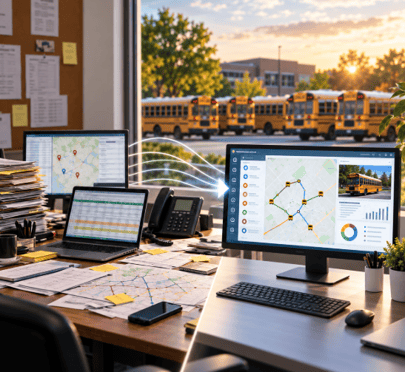 districts add tools for routing, GPS, parent communication, and daily exceptions.
For transportation directors, this is not just a software issue. It affects safety, staff workload, data accuracy, and school district logistics.
Research from Bellwether Education Partners has pointed to fragmentation and limited data sharing as ongoing challenges in student transportation.
Why transportation systems become disconnected
Several common decisions can create separation between routing, dispatch, GPS, ridership, and parent communication.
1. Different departments buy different tools
Transportation, information technology, special education, and school administration often work with different budgets and priorities. One team may buy routing software while another selects GPS or messaging tools.
These decisions may solve immediate problems, but they can weaken the full district transportation management process.
2. Vendors provide limited integration
Separate vendors often use different data formats, update schedules, and permissions. Even when an integration exists, it may connect only two systems.
GPS data may appear on a map but not on the dispatch screen. That is why platform integration matters.
3. Spreadsheets become manual bridges
When systems do not connect, staff build workarounds. They export lists, edit spreadsheets, email files, and reenter data.
Manual bridges create several risks
- A withdrawn student may remain on a driver manifest
- A new address may not reach the route planner
- A route change may not reach the parent communication tool
- Staff may spend hours checking data instead of managing transportation operations
A spreadsheet can support analysis. It should not be the main connection between systems responsible for student movement and safety.
4. SIS data does not sync with transportation data
Student enrollment, addresses, and program changes can shift all year. If those updates do not move into the routing system, transportation teams work from outdated information.
BusBoss LiveSYNC is designed to keep student records and routing information aligned between BusBoss and supported student information systems.
5. Budget cycles and workarounds shape the system
A grant may cover GPS hardware one year, a parent app the next year, and routing later. That can create a districtwide software rollout with no shared architecture.
Staff then keep service moving with phone calls, paper lists, and shared documents. Those workarounds create implementation challenges and make disconnected transportation systems harder to fix.
How to recognize a disconnected operation
Your district may have a systems problem if staff answer yes to several of these questions
- Do dispatchers compare multiple screens before making a route decision
- Do drivers receive route changes by phone or paper
- Are student records entered more than once
- Do parents contact schools for information that GPS data already contains
- Does the transportation office keep a separate spreadsheet for daily exceptions
- Can staff confirm whether a route change reached the driver
- Do different departments use different student counts or route totals
These signs do not mean your staff are failing. They show that the technology is asking people to connect the workflow manually.
What unified transportation management platforms change
Unified transportation management platforms bring routing, dispatch, GPS, ridership, and communication into a shared operating environment.
With ROUTEpatrol Web, transportation teams can use web based routing software and share routing activity across authorized users. BusBoss Professional supports routing, scheduling, reporting, and related applications within a broader system for district transportation management.
A connected environment can help districts
- Reduce duplicate data entry
- Give dispatchers a current view of buses and routes
- Connect planned routes with actual vehicle movement
- Keep ridership information available to authorized staff
- Improve school bus fleet coordination
- Provide parents with more consistent updates
- Create reports from shared operational data
TRIPpatrol can compare planned routes with actual vehicle movement. STUDENTpatrol can connect ridership activity with student and route information. PARENTpatrol can provide bus locations, estimated arrival times, and notifications to families.
Use a connected process for real time rerouting
When a disruption affects a route, the district needs more than a GPS map. It needs a clear process that protects students and keeps people informed.
- Detect the disruption instantly
Identify a bus location, delay, absence, vehicle issue, or route deviation through GPS and operational alerts. - Reassign and adjust using intelligent software
Use route and student data to combine, split, or reassign service while considering capacity, stops, timing, and student needs. - Push instructions directly to driver tablets
With DISPATCHpatrol, dispatchers can update daily routes and communicate changes through connected driver tools. This supports real-time bus dispatch without relying on repeated phone calls or printed sheets. - Keep parents and schools informed
Share updated bus information and notifications through connected communication tools so families and school staff are not working from outdated instructions.
This process reduces risk because a change is recorded once and distributed through the appropriate channels.
A practical path forward
Before replacing every system, transportation directors can take these steps
- Map how a student record moves from enrollment to routing, dispatch, ridership, and parent communication
- Identify every manual export, spreadsheet, phone call, and duplicate entry
- List which data must update immediately and which data can update on a schedule
- Ask vendors to demonstrate the full workflow rather than a single feature
Strong school transportation management depends on clear ownership, reliable data, and practical training.
Summary and next step
Disconnected transportation systems usually grow from isolated purchases, weak data connections, and staff workarounds. The result is extra effort and greater risk across transportation operations and school district logistics.
Unified transportation management platforms reduce those manual bridges. They support stronger district transportation management, better platform integration, and more reliable school district logistics.
See how connected tools can support your district. Schedule a BusBoss demo to discuss your routing, dispatch, data, communication, and school district logistics needs.

PRESIDENT
Sonia has been involved with BusBoss since the late 1990’s, and has personally overseen many projects for various customers ranging from large urban and suburban districts to smaller rural school districts from all over the country.

 (484) 941-0820