

bus route optimization, Dispatch Software, asset school bus tracking system, best gps device for school bus, driver navigation, easy gps tracker for school bus
Play blog summary Listen
Student safety is often discussed as a feature of one tool. But a bus can follow a carefully designed route, GPS tracking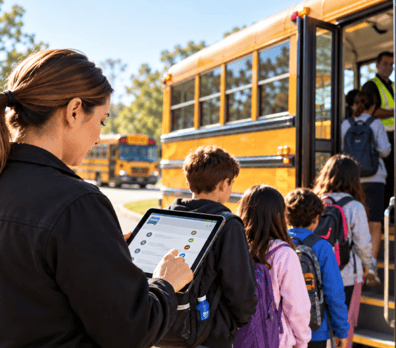 can show its location, ridership tracking can record who is aboard, and school bus communication can send updates, yet the safety outcome depends on whether these records agree when a situation changes.
Each tool answers a different question. Routing asks where students should be and how they can get there safely. Tracking asks where the vehicle is now. Ridership tools ask who is aboard. Communication tells families and schools what is happening. Safety depends on being able to answer all four questions together.
Four safety questions to answer
- Routing A route design and stop management tool answers where students should be and how they get there safely. Stop placement and street level route decisions come first because they shape where children wait and how buses approach. ROUTEpatrol Web helps staff manage routing information. If stop details are outdated or unclear, students and drivers may work from different expectations.
- Tracking GPS tracking answers where the vehicle actually is right now. It matters most when a plan breaks, such as a traffic delay or detour, because dispatch needs current location information rather than a scheduled estimate. TRIPpatrol provides vehicle location and route deviation information. Without it, staff may respond to an incident based on an outdated position.
- Ridership A rider record answers who is on the bus. It supports a missing student response by helping staff check boarding and exit activity against the assigned run. STUDENTpatrol supports student ridership tracking, while the ROUTEpatrol Tablet App gives drivers route details and a way to record ridership. Without a current record, staff may not know which students require follow up.
- Communication Family and school notifications answer what people know and when they know it. School bus communication closes the loop when timing changes, so a guardian or school can act on the current information. PARENTpatrol provides bus location and delay updates. Without a timely, accurate message, families may wait at the wrong stop or schools may be unprepared for a late arrival.
Where the four records disagree
A route can change while the rider list remains unchanged. A bus may be visible on a map but not be the vehicle assigned to that run. A message may describe a trip that dispatch has already replaced. Each mismatch may seem small, but it becomes a safety gap during an incident. A dispatcher needs to know which run is active, which vehicle is serving it, which students are assigned, and which message reached families.
Keeping student and route records current is part of that work. LiveSYNC can keep student and routing information in step between BusBoss and a district student information system. This is one example of how school transportation technology can reduce the chance that staff make a decision from conflicting records.
Test whether the tools work together
Run a short exercise with dispatch staff, drivers, and school representatives. Treat it as a real operating check, not a product tour. A small test can reveal whether school bus dispatch software supports real-time bus dispatch while keeping the driver, rider, and family information aligned.
- Change a stop Update one stop, then confirm the rider list and driver view show the same change. This catches a stale stop or student assignment.
- Substitute a vehicle Assign a replacement bus and confirm tracking follows that vehicle, not the original one. This catches a mismatch between the active run and the bus location.
- Trigger a late run Create a delay and confirm the family message names the actual bus and reflects its updated timing. This catches an inaccurate alert that could send a family to the wrong place at the wrong time.
- Take a tool offline Ask what staff see and do if a tablet, connection, or one of the software tools is unavailable. This catches a gap in the fallback process, including how staff confirm students and share verified updates.
Record whether information updates automatically, who notices a failed update, and how the team confirms the correct record. These checks also help plan a districtwide software rollout and surface implementation challenges before they affect a live run. Clear ownership for each update strengthens school bus fleet coordination and supports reliable school transportation management.
What to ask a vendor
The question is not which tool has the most safety features. Ask whether the four answers stay connected when something goes wrong. Can staff verify the active route, vehicle, student list, and family message from a single incident workflow? Can they see who updated each record and what happens if a device or connection fails?
Review the BusBoss products in the context of your district’s procedures and test the handoffs that matter to your team.
Summary and next steps
Student safety is supported by more than one tool. Routing, tracking, ridership, and communication each provide a necessary part of the picture. The practical measure is whether all four records match when a bus is delayed, substituted, or rerouted.
Review how your current tools handle those moments, then test the connections with your staff. Schedule a BusBoss demo to see how the tools can support your district’s safety process.

PRESIDENT
Sonia has been involved with BusBoss since the late 1990’s, and has personally overseen many projects for various customers ranging from large urban and suburban districts to smaller rural school districts from all over the country.
 (484) 941-0820
