

bus route optimization, Dispatch Software, asset school bus tracking system, best gps device for school bus, driver navigation, easy gps tracker for school bus
Play blog summary Listen
When student records, route assignments, GPS positions, and driver instructions do not stay aligned, transportation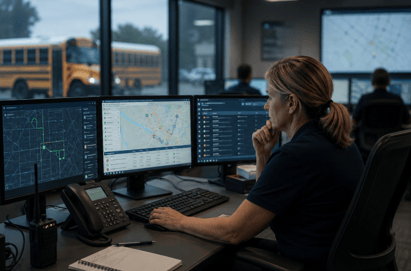 teams lose time and confidence. Dispatchers may see one route while drivers see another. Parents may receive outdated bus information. Staff may also spend hours checking records that should update automatically.
A reliable school routing software integration helps prevent these gaps. It connects your student information system, routing platform, GPS tools, driver tablets, and parent communication channels. When the connection is poorly planned or not monitored, even small issues can affect daily operations.
What live data integration should accomplish
Effective live data integration creates a dependable flow of information between the systems your district already uses. Student enrollment changes should reach routing staff. Address and custody updates should affect assignments. Route changes should reach drivers. Bus locations and student ridership events should be available to authorized staff and families.
BusBoss LiveSYNC is designed to keep BusBoss and a district student information system aligned. It supports student additions, withdrawals, address changes, alternate locations, and routing data sent back to the SIS.
The goal is not simply faster updates. It is a consistent source of information for student transportation routing and daily school bus route management.
Five common causes of sync failure
1. Inconsistent student and address data
A sync process can only move data that is complete and structured correctly. Common problems include duplicate student IDs, incomplete addresses, inconsistent school names, and outdated custody information.
An address may also be entered differently in the SIS and routing system. One system may include an apartment number while another does not. A missing field can cause a record to be rejected or assigned incorrectly.
Districts can reduce this risk by standardizing address formats, reviewing required fields, and assigning ownership for data quality. BusBoss SIF Agent helps automate student additions, withdrawals, and changes between systems.
2. Network and device connectivity gaps
Buses travel through rural areas, tunnels, and locations with weak cellular service. A tablet or GPS device may temporarily lose its connection even when the central platform is operating normally.
This can make real-time data synchronization appear to fail. In some cases, the data is delayed rather than lost. In other cases, an outdated device session prevents new instructions from arriving.
Your team should monitor the age of the last received GPS event, tablet connection status, and failed message count. Devices also need current software, sufficient storage, correct time settings, and dependable power.
TRIPpatrol GPS Tracking supports live vehicle visibility and can display route history. Its product information notes location updates as frequently as every 10 seconds, depending on the configuration and hardware in use.
3. API, authentication, and version changes
Most systems exchange information through application programming interfaces. A password can expire. An API key can change. A security certificate can become invalid. A software update can also change a field name or data format.
These issues often appear suddenly after a vendor update. The first signs may be a growing queue of failed records, missing route changes, or a dashboard that shows data from an earlier time.
Before updates go live, districts should ask vendors about release schedules, testing environments, API documentation, and support procedures. A strong advanced school transportation software platform should also provide clear error messages instead of silently ignoring failed transactions.
4. High data volume and conflicting updates
Sync traffic increases during enrollment periods, school changes, weather events, and the first weeks of a new term. A system that performs well with a small test file may struggle with a full district roster and frequent GPS events.
Conflicts can also occur when two people update the same record. For example, transportation staff may change a stop while school staff update a student address. Without clear rules, one change may overwrite the other or remain stuck for review.
Use controlled test data before a districtwide launch. Define which system owns each field. Set rules for conflict resolution. Track sync time, error rates, and delayed records during peak periods.
5. Operational gaps and unclear responsibility
Technology problems are not always technical. A driver may not open the tablet application. A dispatcher may use a paper route after a last minute change. Staff may not know whether the SIS or routing platform is the correct place to make an update.
These workarounds create data drift. The district then has multiple versions of the truth.
Document who manages student data, who reviews errors, and who confirms route changes. Train dispatchers and drivers on the correct workflow. The ROUTEpatrol Tablet App helps drivers receive navigation and ridership instructions from the transportation system.
Early warning signs to monitor
Transportation leaders do not need to wait for a major disruption. Review these indicators regularly.
- A student change remains pending longer than the expected sync window.
- Bus locations show an unusual gap or stale timestamp.
- Drivers report that tablet instructions do not match dispatcher instructions.
- Parents receive an ETA that conflicts with the route office view.
- Staff discover duplicate students, missing stops, or outdated bus assignments.
- Sync errors rise during enrollment updates or peak operating hours.
A dashboard that displays these conditions can help your team respond before a small data issue becomes a safety or service problem.
What to do when a sync failure affects rerouting
A broken connection can become more serious when a bus is delayed, disabled, or forced off its planned path. Follow this four step process for real time bus rerouting.
- Detect the disruption instantly using GPS alerts, dispatcher reports, driver messages, or a missing location update.
- Reassign and adjust using intelligent software so dispatchers can account for students, vehicle capacity, driver availability, stop timing, and safety restrictions.
- Push instructions directly to driver tablets through a connected platform such as DISPATCHpatrol and the ROUTEpatrol Tablet App.
- Keep parents and schools informed with current route information and notifications through PARENTpatrol. Student boarding information can also be supported through STUDENTpatrol.
This process depends on connected systems. If data is stale, dispatchers may reassign the wrong bus or miss students affected by the change.
How to reduce sync risk
District leaders can take five practical steps.
- Map every system and identify which data each one owns.
- Clean student, address, stop, vehicle, and driver records before implementation.
- Test normal changes and emergency scenarios before a full rollout.
- Monitor data freshness, device connectivity, failed records, and message delivery.
- Review integration performance with IT staff and vendors after major software updates.
The ROUTEpatrol Web platform connects routing work with real time transportation information and supports shared access for transportation teams. Districts can also review BusBoss reports to identify recurring delays, route deviations, and data quality concerns.
Summary and next step
Live sync failures usually come from a combination of incomplete data, weak connectivity, changing APIs, high system volume, and unclear staff procedures. The risk is greatest when a district treats integration as a one time setup instead of an operational process that requires monitoring.
Reliable school routing software integration gives transportation directors better control over student records, routes, vehicles, and communication. If your district is reviewing its current system, schedule a BusBoss demo to discuss your data flow, routing needs, and approach to real time transportation management.

PRESIDENT
Sonia has been involved with BusBoss since the late 1990’s, and has personally overseen many projects for various customers ranging from large urban and suburban districts to smaller rural school districts from all over the country.

 (484) 941-0820