

bus route optimization, Dispatch Software, asset school bus tracking system, best gps device for school bus, driver navigation, easy gps tracker for school bus
Play blog summary Listen
A routing platform may work well for a small operation and still struggle when your district adds schools, students,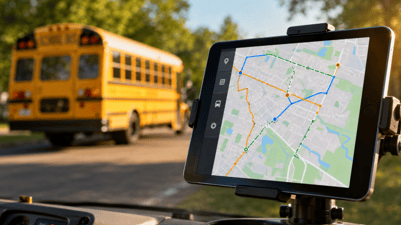 buses, drivers, or transportation programs. The warning signs often appear gradually. Reports take longer to load. Dispatchers rely on spreadsheets. Drivers receive updates by phone. Parents see information that no longer matches the route in front of them.
These problems are not just inconveniences. They can affect safety, staff workload, service reliability, and your transportation budget.
Here are seven signs your school bus routing software may not support your district’s next stage of growth.
1. Route planning takes longer as your district grows
One of the clearest signs is slower performance when you add students, stops, schools, or vehicles. A route plan that once took minutes may now require repeated attempts or manual adjustments.
This creates serious route planning challenges for districts with multiple bell times, special transportation requirements, shared services, and changing attendance boundaries. If your team avoids running optimization tools because the process is too slow or unpredictable, the software may be reaching its practical limit.
Look for a platform that can help your team
- Plan routes by calendar date
- Compare route options using clear operational data
- Manage multiple users at the same time
- Adjust routes without rebuilding the entire schedule
- Support changing student addresses and transportation needs
ROUTEpatrol Web is designed to support web based routing and simultaneous work on transportation planning tasks.

2. Drivers cannot easily follow daily route changes
A route can be efficient on paper and still fail in daily operations. Drivers need clear directions, current stop information, and a reliable way to receive changes while they are working.
If drivers depend on printed route sheets, verbal instructions, or screenshots sent by text, your district may face avoidable confusion. These workarounds also make it difficult to confirm which version of a route is active.
The ROUTEpatrol Tablet App provides drivers with route navigation and student ridership collection. A connected tablet workflow can reduce the gap between the route designed in the office and the route followed in the field.
Driver feedback is an important scalability test. Ask whether drivers can
- Find their current route without assistance
- See student and stop details clearly
- Receive approved changes directly
- Record ridership and inspections without duplicate paperwork
- Continue working when connectivity is temporarily limited
If the answer is no, driver usability may become a barrier to growth.
3. Dispatchers use several systems to see one operation
Transportation directors need one dependable view of buses, routes, drivers, students, and disruptions. When staff switch between routing software, GPS dashboards, spreadsheets, email, and phone calls, the operation becomes harder to control.
This is often a sign of weak transportation team collaboration. The problem becomes more serious when several yards or departments need to coordinate at the same time.
A scalable platform should connect planning and daily response. DISPATCHpatrol supports last minute route adjustments for driver absences, vehicle issues, route combinations, and route splits. It works with the ROUTEpatrol Tablet App so approved changes can move directly to drivers.
4. Your enterprise network integration depends on manual files
Manual exports and imports may seem manageable during a quiet period. They become risky when student enrollment changes every day.
If staff must rekey addresses, withdrawals, stop assignments, or bus numbers into more than one system, errors are likely to increase. Delays can also leave transportation staff working with outdated information.
A stronger approach keeps the student information system and transportation database aligned. LiveSYNC transfers student additions, withdrawals, address changes, and routing information between BusBoss and supported student information systems. This helps reduce duplicate entry and keeps one change from becoming several separate tasks.
When reviewing enterprise network integration, ask
- Which system is the source of truth
- How quickly do changes move between systems
- What happens when an import fails
- Can staff see a record of completed updates
- How are alternate addresses and custody arrangements managed
5. Live GPS data does not lead to action
A map with moving bus icons is useful, but visibility alone does not create better operations. Your system should help staff act on what the data shows.
Weak live data integration often appears in these ways
- GPS information lives in a separate dashboard
- Dispatchers cannot compare planned and actual routes
- Route deviations are discovered after a complaint
- Parents receive updates after a delay has already occurred
- Staff must call drivers to confirm basic information
TRIPpatrol can compare planned routes with actual travel and support deviation alerts. STUDENTpatrol adds live student ridership information and can help staff identify boarding or stop issues.
A scalable operation connects live information to a response process.
6. Your software cannot support real time rerouting
Unexpected events are part of school transportation. Drivers call out. Buses become unavailable. Roads close. Weather changes the morning plan.
A reliable real time rerouting process should follow four steps
- Detect the disruption instantly through driver, vehicle, GPS, or dispatcher information
- Reassign and adjust using intelligent software based on available buses, drivers, students, and route rules
- Push instructions directly to driver tablets so the field team receives one approved version
- Keep parents and schools informed through timely notifications and updated arrival information
If your current system handles these steps through phone calls and manual documents, it may not support scalable school transportation systems.
For parent communication, PARENTpatrol provides bus locations, estimated arrival information, delay notices, and route change notifications.
7. Every expansion creates software implementation failures
A platform may appear functional until your district adds a new school, merges transportation services, opens another yard, or introduces a new student information system. If each change requires extensive reconfiguration or outside troubleshooting, the system may be too rigid for long term use.
Common software implementation failures include
- Limited staff training
- Unclear ownership of data
- Poor communication between transportation and IT teams
- No process for testing integrations
- A launch plan that ignores driver adoption
- No review of performance after implementation
A successful implementation includes training, support, testing, and measurable checkpoints. Review BusBoss resources such as A Software Checkpoints and SuccessRoute Training when planning a technology transition.
What to do next
Do not wait for a major service failure to test whether your school bus routing software can scale. Review recent delays, manual corrections, driver complaints, data mismatches, and dispatch response times.
The strongest platforms connect route planning, driver tools, dispatch, GPS, ridership, data synchronization, and parent communication in one operational workflow. They help transportation leaders see problems earlier and respond with fewer manual steps.
If your district is experiencing route planning challenges, weak live data integration, or limited transportation team collaboration, it may be time to evaluate a more connected approach. Schedule a BusBoss demo to see how an integrated transportation platform can support your district’s next stage of growth.

PRESIDENT
Sonia has been involved with BusBoss since the late 1990’s, and has personally overseen many projects for various customers ranging from large urban and suburban districts to smaller rural school districts from all over the country.

 (484) 941-0820