

bus route optimization, Dispatch Software, asset school bus tracking system, best gps device for school bus, driver navigation, easy gps tracker for school bus
Play blog summary Listen
Selecting transportation software is a major decision for any school district. The system you choose will affect route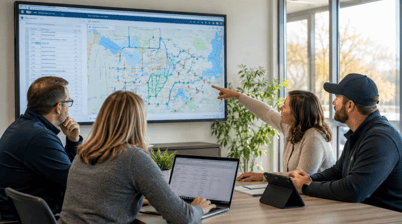 planning, dispatch, student accountability, driver workflows, parent communication, and compliance records.
The strongest student transportation safety and compliance software does more than display bus locations. It connects daily operations through one reliable flow of information. This guide explains what transportation directors should compare in 2026 and how to test each vendor before rollout.
Start with your district’s priorities
Before reviewing demonstrations, identify the problems your current system must solve. A clear list helps your team avoid choosing software based on an impressive feature list that does not match daily needs.
Document the following areas
- Current routing and scheduling processes
- Student assignment and ridership procedures
- Dispatch response during delays and breakdowns
- Driver communication and tablet use
- Parent and school notification needs
- Compliance reporting requirements
- Existing student information system connections
- Fleet size and future growth plans
- Manual work that creates delays or errors
- Metrics your district wants to improve
This baseline gives your team a practical way to conduct a transportation software comparison.
1. Compare routing and scheduling capabilities
Routing software should account for student addresses, school assignments, bell times, bus capacity, special transportation needs, and district policies. It should also help your team review route performance after service begins.
Ask each vendor to demonstrate how the system handles
- Multi school routing
- Multiple daily tiers
- Special education transportation
- Shared custody arrangements
- Hazard areas and restricted roads
- Calendar based route changes
- Bus capacity limits
- Route optimization
- Planned versus actual travel
ROUTEpatrol Web provides browser based tools for routing and scheduling. The platform is designed to let authorized staff work together on transportation tasks while reviewing route and student information.
The key question is not whether a vendor offers optimization. Ask whether the system can produce a route that your staff can operate safely and adjust when conditions change.
2. Evaluate live visibility and dispatch
A map is only useful when it supports a decision. Transportation directors should look for visibility into bus locations, route progress, delays, unauthorized deviations, and available resources.
During a demonstration, ask the vendor to show what happens when a driver is absent or a bus is taken out of service. The process should include four steps
- Detect the disruption instantly through dispatcher input, GPS information, or an operational alert.
- Reassign and adjust using intelligent software while considering students, vehicles, drivers, capacity, and route constraints.
- Push instructions directly to driver tablets so the field team receives the current route.
- Keep parents and schools informed through accurate notifications and updated arrival information.
DISPATCHpatrol supports real time route changes, route combinations, route splits, and driver communication. The ROUTEpatrol Tablet App helps drivers receive route information and navigation updates.
Ask how quickly a dispatcher can complete the full process. A system that requires several disconnected steps may create confusion during a time sensitive event.
3. Test student ridership verification
Student transportation safety depends on knowing more than where a bus is. Your team should be able to identify which students are assigned to a vehicle and which students actually boarded or exited.
When reviewing student transportation safety and compliance software, ask these questions
- Can the system record boarding and exiting activity?
- Does it support RFID, NFC, barcode, mobile, or manual updates?
- Can staff see the current passenger list?
- Can the system identify a student who boards the wrong vehicle?
- Can staff retrieve historical ridership records?
- Can ridership data support state reports and emergency response?
- Does the system connect ridership to route and student records?
STUDENTpatrol GPS Tracking supports ridership collection through RFID, NFC, and barcode readers. It can provide authorized staff with current student information and help identify route deviations involving a student.
A vendor should demonstrate an exception workflow, not just a successful scan. Ask what happens when a card is forgotten, a device loses connectivity, or a student boards a substitute bus.
4. Review school bus compliance and auditability
Your system should make it easier to retrieve accurate records when administrators, families, or auditors need answers. Review how the platform handles route history, ridership reports, driver activity, inspections, and changes to student assignments.
For school bus compliance, ask vendors to show
- Timestamped route and ridership records
- Planned and actual route comparisons
- Driver and vehicle assignments
- Inspection and incident records
- User permissions
- Change history
- Report exports
- Data retention policies
TRIPpatrol GPS Tracking can help districts compare planned routes with actual travel and review route deviations. The BusBoss Reports page provides more information about reporting tools.
Do not accept a general statement that the software supports compliance. Ask the vendor to recreate a specific audit request. For example, request every record connected to one bus, one driver, and one route on a selected date.
5. Confirm integration and data quality
A transportation system should not force staff to enter the same information several times. Student changes, school assignments, transportation eligibility, and address updates should move reliably between your student information system and transportation platform.
Review LiveSYNC and the SIF Agent when evaluating integration options. BusBoss also lists connections for PowerSchool, eSchoolData, eSchoolPLUS, and Blackboard.
Ask each vendor
- How often does data synchronize?
- How are errors identified?
- Who resolves failed records?
- Can staff review changes before they affect routes?
- Can the district export its data?
- What happens during an integration outage?
Reliable integration is central to school district transportation management. It also supports better district fleet management because vehicle, route, driver, and student information can be reviewed together.
6. Assess parent and school communication
Families need useful information at the right time. A parent application should provide secure access to the student’s transportation information without exposing unnecessary data about other students.
PARENTpatrol supports bus location information, estimated arrival details, and transportation notifications. Ask vendors to demonstrate a delayed route, an adjusted pickup time, and a changed bus assignment.
Also confirm how schools receive updates. Principals and staff may need information about late buses, transportation changes, and student arrival status without relying on repeated phone calls to dispatch.
Build a weighted scorecard
A simple scoring model can help your team compare vendors consistently.
- Safety, ridership, and compliance at 30 percent
- Routing and dispatch at 25 percent
- Integration and data quality at 20 percent
- Driver and dispatcher usability at 15 percent
- Communication, support, and total cost at 10 percent
Score each requirement from one to five. Require evidence for every score through a live demonstration, sample report, pilot result, or customer reference.
Include transportation staff, drivers, IT leaders, school administrators, and family representatives in the review. Each group will notice different risks.
Choose software that fits daily operations
BusBoss offers several deployment options, including BusBoss Professional, BusBoss Enterprise, BusBoss Express, and BusBoss SaaS. This allows districts to review options based on fleet size, technical environment, staffing, and long term plans.
The right choice should support today’s routes while giving your team room to improve. It should reduce duplicate work, strengthen student transportation safety, and give dispatchers clear tools when the school day does not go as planned.
Summary and next step
The best student transportation safety and compliance software is not the platform with the longest feature list. It is the system that connects routing, ridership verification, dispatch, integrations, audit records, driver workflows, and parent communication.
Build your comparison around real district scenarios. Test a student change, a late bus, a driver absence, a route deviation, and a communication event. Then score each vendor based on what the software can demonstrate.
Schedule a BusBoss demonstration to review how an integrated platform can support your district’s routing, tracking, dispatch, and compliance goals.

PRESIDENT
Sonia has been involved with BusBoss since the late 1990’s, and has personally overseen many projects for various customers ranging from large urban and suburban districts to smaller rural school districts from all over the country.

 (484) 941-0820