

bus route optimization, Dispatch Software, asset school bus tracking system, best gps device for school bus, driver navigation, easy gps tracker for school bus
Play blog summary Listen
School transportation directors need more than a map with moving bus icons. A safe transportation program depends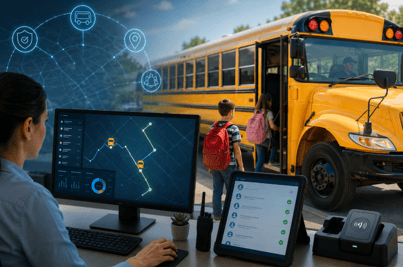 on accurate student records, practical route planning, reliable communication, driver support, and fast responses when conditions change.
That is why choosing the best student transportation safety software requires a broader review than comparing routing features alone. The right platform should connect planning with daily transportation operations. It should help your team understand where buses are, which students are on board, whether routes are being followed, and how to respond when a disruption occurs.
There is no single platform that fits every district. Some tools focus on routing. Others center on GPS tracking, cameras, fleet maintenance, or managed transportation services. This guide compares the main platform types and explains where BusBoss fits for districts that want a more unified approach.
What transportation directors should compare
Before reviewing vendors, define the results your district needs. A strong evaluation should cover these areas.
- School bus route planning
Look for school bus routing software that supports stop assignment, student eligibility, special transportation requirements, bell times, bus capacity, and route optimization. The system should help you balance safety with reasonable ride times and efficient use of vehicles. - Live visibility
A reliable platform should show current bus locations and route progress. It should also provide useful information during delays, breakdowns, weather events, and other disruptions. - Student accountability
Bus location is only part of the safety picture. Directors should also evaluate whether the system records boarding and exiting activity and provides an accurate list of students assigned to each trip. - Driver support
Drivers need clear instructions that do not create unnecessary distractions. Tablet based navigation, ridership collection, inspection forms, and route updates should be simple to access. - Communication
Schools and families need accurate updates when a bus is delayed or a route changes. Communication tools should use the same data that dispatchers and transportation staff see. - Reporting and compliance
Your system should support accurate ridership records, route history, incident review, and state or district reporting needs. Ask vendors how long records are retained and how authorized staff can access them. - District cost control
Evaluate how the platform can help reduce unnecessary mileage, overtime, fuel use, underused capacity, and manual administrative work. Cost control should be based on actual operational data rather than general promises.
How the leading platform types compare
The current market includes several types of student transportation platforms. A recent industry review from G2 shows that school transportation tools often combine routing, tracking, student information, communication, and operational management. However, the depth of each feature varies by vendor.
Best unified option for district transportation operations
For districts that want one connected foundation, BusBoss offers a broad student transportation management environment. ROUTEpatrol Web supports route planning through a browser and allows multiple authorized users to work on routing and scheduling tasks. Its features include calendar based planning, route optimization, student review, and tools intended to reduce fuel, labor, and vehicle costs.
The platform is available through several options, including BusBoss Professional, BusBoss Express, BusBoss Enterprise, and BusBoss SaaS. This range matters because a smaller district may need a simpler setup while a larger district may require broader access and more complex workflows.
For districts that need browser based access, ROUTEpatrol Web is a strong place to begin. It gives transportation staff a shared environment for collaborative transportation planning rather than forcing every task into separate spreadsheets or disconnected files.
Best option for student ridership and safety visibility
A safe route plan does not confirm that the correct student boarded the correct bus. That requires student level information connected to the vehicle and route.
STUDENTpatrol GPS Tracking supports student ridership collection through RFID, NFC, or barcode readers. It can record when students enter or leave the bus and provide real time passenger information to authorized transportation personnel and school staff.
This type of information can help a district respond to questions such as these.
- Which students are currently assigned to a bus
- Did a student board or exit at the expected stop
- Which bus is carrying a student during an emergency
- How many riders are on a route right now
- Are actual ridership levels different from planned assignments
Connecting student records to route and vehicle information also supports more accurate transportation safety analytics. Directors can review route deviations, unexpected ridership changes, late arrivals, and recurring trouble spots with more context.
Best option for bus tracking and routing
A GPS map is most useful when it is connected to the planned route. TRIPpatrol GPS Tracking allows districts to compare planned routes with actual routes traveled. This can help identify unauthorized rerouting, repeated delays, and inefficient travel patterns.
For a more flexible hardware approach, districts can also review Geotab for BusBoss. The right choice depends on your fleet, current hardware, cellular coverage, and reporting needs.
The strongest bus tracking and routing setup should help dispatchers answer more than “Where is the bus?” It should also help them determine whether the bus is on schedule, whether it is following the correct path, which students are affected by a delay, and what action should happen next.
Best option for drivers and dispatchers
Software cannot improve safety if drivers and dispatchers avoid using it. Driver usability should be a central part of your evaluation.
The ROUTEpatrol Tablet App gives drivers access to route information, turn by turn navigation, and ridership collection. It also supports pre trip and post trip inspection submissions along with time and attendance functions.
Dispatchers need a similarly direct view. DISPATCHpatrol supports real time route changes and can send updated instructions to driver tablets. This reduces the risk that a driver receives an outdated paper route or a verbal instruction that differs from the dispatcher’s current plan.
How safe real time rerouting should work
Every district should ask vendors to demonstrate their response to a live disruption. The process should include four steps.
- Detect the disruption instantly
The system should identify a breakdown, road closure, severe delay, absent driver, or other event through dispatcher input, GPS data, or an operational alert. - Reassign and adjust using intelligent software
Dispatchers should be able to review affected students, available buses, driver assignments, and route constraints before creating a practical alternative. - Push instructions directly to driver tablets
The updated route should reach the assigned driver through the ROUTEpatrol Tablet App. This creates a clearer record of what changed and reduces confusion during a stressful event. - Keep parents and schools informed
PARENTpatrol can help provide families with bus locations, estimated arrival information, and transportation notifications. Schools should also receive the information they need to support students at arrival and dismissal.
This workflow matters because rerouting is not complete when a dispatcher changes a map. It is complete when the driver has clear instructions, affected students are accounted for, and families and schools understand what to expect.
Best option for enterprise system integration
Many districts rely on a student information system, communication platform, GPS provider, and transportation database. If these systems do not share accurate information, staff may spend hours correcting records and answering questions caused by outdated data.
BusBoss supports integrations such as LiveSYNC and the SIF Agent. Districts can also review integrations with PowerSchool, eSchoolData, eSchoolPLUS, and Blackboard.
When comparing enterprise systems, ask these questions.
- How quickly does a student address change reach routing staff
- Can the system prevent duplicate data entry
- Can GPS and ridership records connect to the student assignment
- Does the vendor document integration responsibilities clearly
- Can the district export its own historical information
- What happens when a data feed or cellular connection fails
Tyler Technologies also highlights integration through its student transportation platform. The important point is not choosing a specific architecture based on a feature list. It is confirming that your selected system can support reliable data flow across the tools your district already uses.
How software supports school transportation compliance and district cost control
Compliance support depends on accurate records and consistent processes. A transportation platform can help organize ridership data, route history, driver activity, inspections, and reports. It does not replace local policies or state requirements, so your team should confirm that the software supports the specific rules that apply to your district.
Cost control also requires more than reducing the number of buses. Review metrics such as these.
- Miles traveled per student
- Empty or dead miles
- Fuel use by route and vehicle
- Overtime caused by late routes
- Average ride time
- Bus capacity utilization
- Route deviations
- Parent calls about delays
- Manual hours spent correcting records
- Routes that repeatedly require emergency changes
The BusBoss Reports tools and SmartRoute Dashboard can help transportation leaders review operational information in one environment. Districts can also explore Route Optimization and SafeRoute Planning for more focused support.
A practical buying process for 2026
Use this process before selecting a vendor.
- Document your current systems and manual work
- List your highest risk safety and communication gaps
- Separate essential features from optional features
- Invite routing staff, dispatchers, drivers, IT staff, school administrators, and families to provide input
- Request a demonstration using your own operational scenarios
- Test a disruption, a student change, a late bus, and a lost connection
- Confirm implementation services, training, support, and data ownership
- Define measurable goals for safety, service, and cost
- Start with a controlled rollout before expanding districtwide
- Review results after the first full operating period
A platform should fit the people who use it every day. BusBoss provides online training, SuccessRoute Training, consulting, and support resources to help districts move from selection to practical use.
Summary and next step
The best student transportation safety software for 2026 is not simply the product with the longest feature list. It is the platform that connects safe route design, bus tracking and routing, student accountability, driver instructions, school communication, compliance records, and district cost control.
For districts seeking a unified transportation foundation, BusBoss brings these functions together through its routing products and connected tools. Review the platform against your own routes, systems, drivers, and safety procedures.
Schedule a free BusBoss demonstration to see how the software can support your district’s daily transportation operations.

PRESIDENT
Sonia has been involved with BusBoss since the late 1990’s, and has personally overseen many projects for various customers ranging from large urban and suburban districts to smaller rural school districts from all over the country.

 (484) 941-0820