

bus route optimization, Dispatch Software, asset school bus tracking system, best gps device for school bus, driver navigation, easy gps tracker for school bus
Play blog summary Listen
Choosing school bus dispatch software shapes how fast your team responds to daily disruptions and how confidently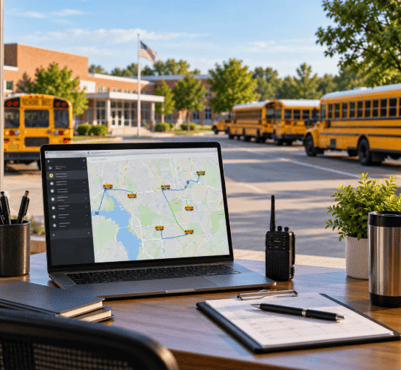 you can move away from paper and routine radio calls.
The strongest platforms connect planning, live operations, driver communication, student data, and reporting for better school transportation management.
What to compare first
School transportation directors should evaluate dispatch platforms across three areas.
- Districtwide rollout effort
- Live daily operations
- Replacement of radios and paper workflows
A platform may offer impressive GPS maps but still create problems if student data is difficult to maintain or route changes do not reach drivers clearly. The right system should support school transportation management from planning through post trip reporting.
1. Compare districtwide rollout effort
A districtwide software rollout often includes transportation staff, drivers, schools, IT teams, families, and sometimes outside contractors. The software must fit existing processes instead of adding another disconnected system.
Evaluate these rollout requirements before signing an agreement.
Data setup
Start with the core records dispatch uses every day. That includes students, stops, schools, bell times, routes, drivers, buses, and assignments.
Ask how updates from your student information system are handled. BusBoss LiveSYNC moves student and routing changes between BusBoss and supported district systems, which cuts duplicate entry and helps avoid outdated manifests.
Training
Dispatchers need practice with real school day disruptions, not just a product tour.
Test driver absences, bus breakdowns, road closures, alternate stops, and urgent school requests. Drivers also need simple tools. The ROUTEpatrol Tablet App gives them route details, navigation, student ridership collection, driver notifications, and inspection forms in one field tool.
Integrations
Implementation challenges often appear when routing, GPS, student records, and parent communication sit in separate systems. Ask whether data moves automatically or still depends on exports and imports.
A strong platform should support school bus fleet coordination without forcing your team to maintain multiple versions of the same route. It should also fit your hardware, network, and security requirements.
Pilot pacing
A controlled pilot is usually safer than a full launch. Start with a small set of routes that reflects real district conditions, then measure route change time, driver adoption, message response time, and data accuracy before expanding.
2. Compare live operations
The value of real-time bus dispatch depends on what dispatchers can do with live information. A map that only shows vehicle locations is not enough.
Your evaluation should include the following capabilities.
Real-time bus dispatch quality
Dispatchers should see buses, routes, drivers, and major exceptions in one view. They should also be able to adjust service for the day without changing the permanent plan.
DISPATCHpatrol supports temporary route changes for driver absences and buses that are out of service. Dispatchers can combine or split routes and communicate updates without rebuilding the underlying route structure.
Driver tablet synchronization
A route change is incomplete until the driver receives it clearly on the tablet with usable instructions and navigation.
The driver should not need to interpret a long radio message while operating a bus. The ROUTEpatrol Tablet App can receive route modifications and provide updated navigation and student information.
Vehicle visibility and route performance
Fleet tracking should support decisions, not just show moving icons. Ask whether the system shows planned and actual travel, route deviations, unauthorized stops, and historical activity.
TRIPpatrol provides live vehicle positions, route history, deviation alerts, and activity logs. These records help transportation leaders review recurring delays and improve school bus routing over time.
3. Compare radio and paper replacement
Replacing radios and paper requires more than sending messages through an app. The new workflow must be clear, acknowledged, and documented.
Look for these features.
Digital communication should also connect to student safety. STUDENTpatrol can provide ridership information and alerts tied to student boarding and exiting activity. PARENTpatrol can share bus locations, estimated arrival times, and delay notifications with authorized families.
Use a four step rerouting process
Every real-time rerouting plan should follow the same sequence.
- Detect the disruption instantly
Identify the absence, breakdown, road closure, delay, or route deviation through dispatch reports, GPS data, driver messages, or school notifications. - Reassign and adjust using intelligent software
Review available buses, drivers, capacities, stops, and timing. Adjust the affected service without creating conflicting assignments. - Push instructions directly to driver tablets
Send the updated route, stop sequence, navigation, and operational message to the assigned driver. Require acknowledgement when the change is safety critical. - Keep parents and schools informed
Share accurate delay and arrival information with schools and families. Avoid asking staff to repeat the same update across several disconnected channels.
This process turns school bus dispatch software into a true operating system instead of a tracking screen.
A practical comparison framework
When comparing platforms, score each option from one to five in these areas.
- Data import and integration effort
- Dispatcher training time
- Driver tablet usability
- Speed of route reassignment
- Message acknowledgement
- Historical change records
- GPS and route deviation visibility
- Student ridership support
- Parent and school communication
- Reporting and ongoing route improvement
An integrated platform may be a stronger fit than separate routing, telematics, and messaging products when your goal is fewer handoffs. ROUTEpatrol Web supports web based routing and shared transportation planning. Combined with DISPATCHpatrol, ROUTEpatrol Tablet App, GPS, ridership, and parent tools, it gives districts a connected operating model.
Key takeaways for transportation directors
- Compare rollout effort as carefully as feature lists
- Test live dispatch with realistic school day disruptions
- Confirm that route changes reach drivers in a clear digital format
- Require message acknowledgement and documented change history
- Connect fleet tracking with routing, ridership, and communication
- Pilot before expanding across the district
The best school bus dispatch software is the one your team can use reliably when conditions change. It should reduce radio dependence, limit paper handling, improve school bus fleet coordination, and support better daily decisions.
If your district is reviewing dispatch options, schedule a BusBoss demo to see rollout requirements, real-time bus dispatch, route changes, driver tablets, and integrated school transportation management in one workflow.

PRESIDENT
Sonia has been involved with BusBoss since the late 1990’s, and has personally overseen many projects for various customers ranging from large urban and suburban districts to smaller rural school districts from all over the country.

 (484) 941-0820