

bus route optimization, Dispatch Software, asset school bus tracking system, best gps device for school bus, driver navigation, easy gps tracker for school bus
Play blog summary Listen
Moving from 50 buses to 150 buses changes more than the size of your fleet. It changes how many vehicles report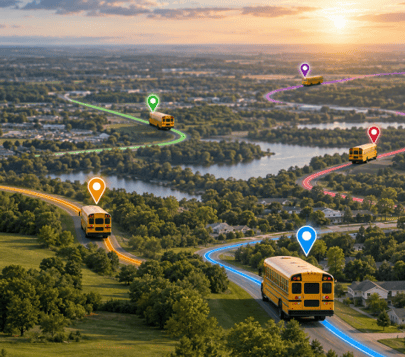 location data, how many drivers need instructions, how quickly dispatchers must make decisions, and how many families expect timely updates.
That is why real-time dispatch software scaling requires more than adding user accounts or installing tablets. Your district needs reliable data, clear workflows, strong integrations, and a rollout plan that supports dispatchers and drivers during the busiest parts of the school day.
The following eight lessons can help transportation directors prepare for the operational and technical demands of large fleet operations.
1. Plan for peak demand, not average activity
A dispatch system may appear reliable during a quiet midday period. The real test comes during morning arrival, afternoon dismissal, severe weather, and an unexpected driver absence.
As a fleet grows, more buses send location updates at the same time. More dispatchers may view the system. More routes may require changes. Schools and families may also request information while drivers are receiving updated instructions.
Before expanding, document your expected operating load. Include the following details
- The number of active buses now and in three to five years
- The number of routes and daily trips
- The number of dispatchers and supervisors
- The number of schools, drivers, students, and families using the system
- The number of route changes during a typical week
- The additional demand created by weather, athletic trips, and special education transportation
This baseline helps your technology team evaluate dispatch system scalability based on actual transportation needs. It also gives you useful measures for testing response times and update delivery during peak periods.
DISPATCHpatrol supports last minute route adjustments when drivers call out or buses become unavailable. It allows dispatchers to combine or split routes while keeping permanent route records intact.
2. Fix data quality before adding more automation
Automation cannot correct inaccurate route, vehicle, driver, or student records. It can only move those errors faster.
A district preparing for real-time dispatch software scaling should review the data that drives daily decisions. Confirm that each bus has the correct capacity and status. Check that each driver is assigned to the right routes. Review stop locations, bell times, student addresses, accessibility needs, and authorized alternate stops.
This work directly supports ridership data accuracy. It also helps prevent dispatchers from making decisions based on outdated passenger counts or incorrect assignments.
Your review should answer several practical questions
- Are inactive students removed from current routes
- Are students assigned to the correct school and transportation program
- Do route records reflect current stops and schedules
- Are spare buses and substitute drivers available in the system
- Are vehicle capacities accurate
- Are special transportation requirements easy to identify
Reliable student ridership verification systems can provide another layer of operational control. With accurate data, dispatchers can make better decisions about available capacity when they reassign students or combine routes.
BusBoss STUDENTpatrol supports live student tracking and ridership information. It can record when students board or exit and can provide bus load information for transportation staff.
3. Make the driver tablet the source of current instructions
Phone calls and paper updates become difficult to manage when a district grows. A dispatcher may send one instruction to a driver while another staff member sends a different instruction moments later.
A scalable operation needs one current version of the route. The driver tablet should show the active assignment, navigation details, student information, and approved changes.
The BusBoss ROUTEpatrol Tablet App provides route navigation and student ridership collection. It can also display route modifications sent from the transportation office.
Your district should test tablet synchronization under realistic conditions. Test during a busy dispatch period. Test with weak cellular coverage. Test when several routes change at once. Confirm that the driver can identify the newest instruction and that the system records whether the update was received.
This is an important part of school transportation technology planning. Hardware, connectivity, software, and staff procedures must work together. A tablet that receives route data but does not present clear instructions still creates risk for drivers and students.
4. Standardize the four step rerouting process
A district with 50 buses may handle disruptions through personal knowledge and quick phone calls. At 150 buses, that approach can create confusion. Every dispatcher should follow the same rerouting process.
Step one
Detect the disruption instantly
Identify the problem through GPS alerts, driver reports, school notifications, or dispatcher observation. Confirm the affected route, bus, driver, stops, and students.
Step two
Reassign and adjust using intelligent software
Review available buses, drivers, capacity, route timing, student needs, and school schedules. Adjust the affected route by combining or splitting trips when appropriate.
Step three
Push instructions directly to driver tablets
Send the revised route and instructions to the driver tablet. This gives the driver one current source of information and reduces reliance on phone chains or handwritten notes.
Step four
Keep parents and schools informed
Notify affected schools and families through the district’s established communication process. Clear updates help staff respond to questions and help families make safe pickup arrangements.
This process supports safer fleet coordination because it gives dispatchers a repeatable structure during stressful events. It also creates a record that can be reviewed after the route is complete.
DISPATCHpatrol is designed for real-time route changes. It can help dispatchers respond to driver absences and buses taken out of service without changing the district’s permanent route plan.
5. Connect planning, tracking, and ridership information
Separate systems often create delays between what dispatchers see and what drivers or families receive. A routing platform may contain one bus assignment. A GPS platform may show another. A student system may contain a recent address that has not reached transportation staff.
This is where integrated fleet management software becomes important. Your tools should share the information needed to plan routes, monitor vehicles, manage students, and communicate changes.
ROUTEpatrol Web provides web based routing and scheduling tools. TRIPpatrol provides real-time vehicle tracking, route history, and deviation alerts. Together, these capabilities help transportation teams compare the planned route with the route actually traveled.
Integration also matters when you need to investigate a delay. Dispatchers should be able to review the assigned route, vehicle location, route history, student information, and communication record without searching through multiple disconnected applications.
6. Treat student safety data as an operational input
GPS location tells you where a bus is. It does not always tell you which students are on board. As fleets grow, student information must become part of the dispatch decision.
Student boarding verification can help staff confirm who entered or exited a bus. It can also support better responses when a student boards the wrong bus, attempts to use an unassigned stop, or is not present at the expected location.
Use this information carefully. Establish access rules for dispatchers, school administrators, drivers, and families. Review how long records are retained. Train staff to distinguish between a missing scan and a confirmed absence.
The goal is not to add more data for its own sake. The goal is to give transportation staff dependable information when they must make a decision. That includes route reassignment, emergency response, school arrival questions, and parent communication.
STUDENTpatrol can support student ridership tracking alongside route and vehicle information. This helps districts build a more complete operational picture.
7. Prepare for integration and security risks
Scaling challenges are not limited to software performance. They also involve permissions, data ownership, system connections, and staff practices.
Create an integration inventory before expanding. List the systems that exchange information with transportation. These may include a student information system, GPS hardware, parent communication tools, maintenance records, and reporting applications.
LiveSYNC can help keep student information and routing information aligned. It supports the movement of enrollment, withdrawal, address, and routing updates between BusBoss and supported student information systems.
Also define who can create, approve, publish, and reverse a route change. Limit administrative permissions to staff who need them. Document what happens if an integration fails.
Your risk review should include
- Duplicate student records
- Delayed address changes
- Incorrect user permissions
- Unsecured tablets
- Lost connectivity
- Unapproved route edits
- Enterprise district misuse of shared access or administrative tools
These controls reduce system maintenance challenges later. They also give your IT team and transportation leaders a shared understanding of how the platform should operate.
8. Roll out in measured stages
A district wide launch may seem faster, but a phased rollout usually gives transportation teams more time to identify problems before they affect every route.
Begin with a pilot that represents your real operation. Include general education routes, special education transportation, multiple schools, different vehicle types, and areas with known coverage issues. A pilot of 10 to 20 buses can reveal tablet, data, training, and workflow problems before the system reaches 50 or 150 buses.
Set readiness measures for each phase. Consider
- Successful tablet login and route download
- Accurate vehicle and driver assignments
- Reliable route change delivery
- Acceptable GPS update performance
- Correct student ridership records
- Dispatcher response time
- Parent and school notification delivery
- Completion of driver and dispatcher training
Do not measure success only by whether the software is installed. Measure whether staff can use it confidently during a disruption.
The PARENTpatrol mobile app can support family communication with bus locations, estimated arrival times, route delay notifications, and boarding or exit updates. Including parent communication in pilot testing helps your district evaluate the complete process rather than only the back office.
Summary and next steps
The move from 50 to 150 buses can expose weaknesses in dispatch processes, data quality, device management, and communication. The right preparation makes that growth more manageable.
The most important lessons are clear
- Plan for peak system demand
- Clean transportation data before scaling
- Make driver tablets the source of current instructions
- Use a consistent four step rerouting process
- Connect routing, tracking, and ridership information
- Use student safety data to support decisions
- Prepare for integration, permission, and maintenance risks
- Roll out in measured stages
Effective real-time dispatch software scaling is not only a technology project. It is an operational change that affects dispatchers, drivers, schools, students, and families.
See how BusBoss can support your district’s routing, dispatch, tracking, and communication needs. Schedule a BusBoss demo to discuss your fleet size, current workflows, and plans for growth.

PRESIDENT
Sonia has been involved with BusBoss since the late 1990’s, and has personally overseen many projects for various customers ranging from large urban and suburban districts to smaller rural school districts from all over the country.

 (484) 941-0820