

By: The BusBoss Team
Experts in K-12 Transportation Management Solutions
The BusBoss team comprises seasoned professionals dedicated to developing and implementing innovative software solutions for school transportation. With decades of combined experience in logistics, education technology, and student safety, our insights are grounded in practical application and a deep understanding of district needs.
Special needs transportation software brings routing, vehicle assignments, staffing and communications together so districts meet Individualized Education Program (IEP) requirements while keeping students safe and compliant. This guide shows how adaptive transport technology solves the logistics of special needs busing by pairing constraint-aware route planning with GPS monitoring and configurable communications. You’ll learn the core features that define IEP transport systems, how routing engines handle wheelchair-accessible trips and aide assignments, why real‑time tracking and parent apps matter, and which reports support audits and funding. We also cover driver- and staff-facing tools that surface medical alerts and boarding instructions, and offer practical tips to move from error-prone manual processes to auditable, repeatable workflows using integrated software.
Special education transportation software is a class of transport-management systems built to handle individualized routes, accessibility constraints and the documentation districts need for students with disabilities. It captures IEP transport requirements, matches vehicle and staff capacity, and applies boarding, timing and accessibility rules during route build and daily operations. The outcome: safer, IEP‑compliant trips with fewer missed stops, shorter ride times and an auditable record for administrators and families. Below are the three main reasons districts adopt adaptive transportation platforms.
Special education transportation delivers three core advantages:
These benefits influence data collection, system setup and staff training — key topics we examine next to help districts choose the right vendor.
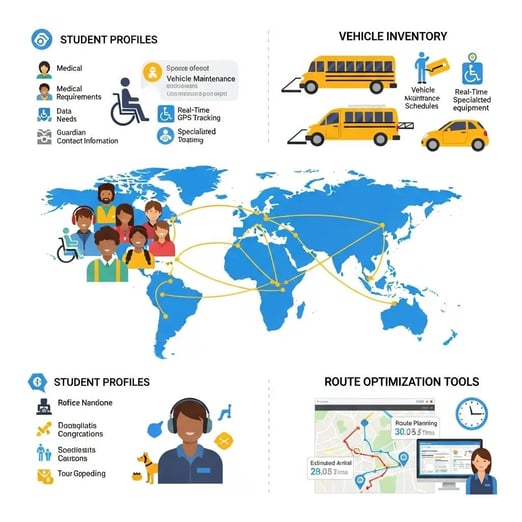
Adaptive solutions typically include student profiles, vehicle and equipment inventories, route optimization, driver manifests and parent communications. Profiles record attributes such as wheelchair requirement, aide presence, boarding assistance level and allowable pickup windows so the routing engine can honor constraints when assigning buses. Practical features include vehicle‑type selection, lift operation buffers, stop sequencing to meet ride‑time limits and exception flags for medical alerts that are visible to drivers and dispatch. Districts use these modules to centralize information previously kept in spreadsheets, enforce IEP transport terms consistently and update routes quickly when needs change. Knowing which features map to which outcomes helps districts decide what to comp first during rollout.
Software improves safety by standardizing how accessibility needs are recorded and used across planning, driving and family communications. Systems tie GPS monitoring and geofencing to dispatch alerts when a vehicle deviates from an expected path, while driver apps surface medical alerts and boarding instructions in real time to reduce on‑route errors. Accessibility support includes automatic assignment of wheelchair‑capable vehicles, added dwell time for complex boardings and manifest visibility so drivers and aides share the same data. Together, these layers—accurate intake, constraint‑aware scheduling and operational safeguards—create consistent, auditable transport processes. That leads into how routing engines actually apply constraints, covered below.
BusBoss combines constraint‑aware routing logic with vehicle assignment and real‑time adjustment tools that respect IEP parameters and accessibility needs. The routing engine evaluates attributes like wheelchair access, aide requirements and pickup windows to match students with suitable vehicles and stops while keeping ride time and fleet cost low. A two‑step workflow typically assigns student constraints to vehicle types, then optimizes stop sequences to honor transfers and ride‑time limits. The table below shows common constraints, the attributes the system checks and the optimization outcomes it returns.
Below: the table maps typical transport constraints to the attributes an optimizer uses and the outcomes the routing engine produces when assigning a vehicle and schedule.
|
Constraint Type |
System Attribute |
Typical Optimization Outcome |
|---|---|---|
|
Wheelchair required |
Vehicle equipment flag (lift/ramp) |
Assign wheelchair‑capable bus; include extra boarding dwell time |
|
Aide required |
Staffing attribute |
Reserve seat for aide; maintain same‑route continuity |
|
Narrow pickup window |
Time‑window parameter |
Prioritize stop placement and sequencing to meet the window |
|
Transfer dependency |
Link to transfer manifest |
Synchronize arrival times and add contingency buffers |
This mapping shows how the optimizer turns human requirements into specific scheduling and vehicle decisions. Next, we look at wheelchair‑specific planning practices.
Wheelchair‑aware route planning starts with precise IEP transport details—mobility devices, boarding assistance levels and maximum ride‑time limits. Planners tag student profiles with lift compatibility, required dwell time and aide needs; those tags become hard constraints in the routing algorithm. Best practices include clustering wheelchair riders on routes with compatible vehicles, pre‑assigning aides where needed and validating stop geometry during route testing to ensure safe curbside access. Recording these decisions in the system produces an auditable IEP transport trail that supports compliance and consistent operations. The table below summarizes typical constraint‑to‑action mappings used for wheelchair planning.
Wheelchair planning mapping:
|
Constraint |
Attribute Evaluated |
Assigned Action/Outcome |
|---|---|---|
|
Wheelchair user |
Lift/ramp capability |
Assign wheelchair‑capable bus and add extra dwell time |
|
Boarding assistance |
Aide presence required |
Reserve an aide and list pickup assistance steps |
|
Ride time limit |
Maximum ride‑time parameter |
Adjust stop sequencing to reduce total duration |
These mappings help planners and drivers follow consistent procedures that align with IEP requirements and accessibility best practices.
AI‑driven optimizers balance multiple constraints—vehicle equipment, aide availability, student time windows and traffic—to produce efficient, compliant routes. Algorithms weigh tradeoffs between minimizing miles and honoring hard constraints such as wheelchair compatibility and maximum ride times; when objectives conflict, the system can propose viable alternatives. Real‑time adjustments use live telemetry and attendance data to reoptimize when students are absent, traffic events occur or a vehicle becomes unavailable, then push updated manifests and notifications. That continuous loop reduces manual intervention, improves on‑time performance and shortens dispatch cycles—while keeping parents informed through tracking and communication tools discussed below.
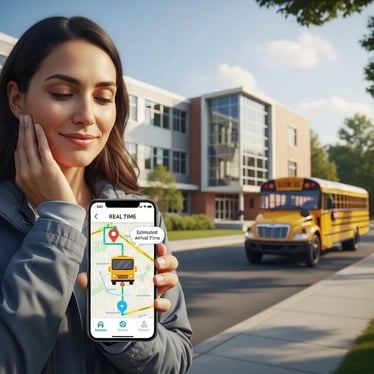
Real‑time tracking and parent communication boost safety, cut administrative friction and strengthen family trust by delivering accurate ETAs, incident alerts and secure messages about student transport. GPS provides live location, predictive ETAs and geofence alerts that speed response to exceptions and document route adherence. Thoughtful parent apps reduce after‑hours calls, ease bus‑stop anxiety and create an auditable notification history for students whose guardians need higher transparency. The list below summarizes the operational and family‑facing benefits districts commonly report.
The table that follows links parent‑facing features to the concrete value they deliver for special needs transportation.
Parent features mapped to value:
|
Feature (Entity) |
Feature (Attribute) |
Benefit (Value) |
|---|---|---|
|
Real‑time ETA |
Live GPS + predictive arrival |
Reduces wait time and helps caregivers plan reliably |
|
Exception alerts |
Geofence & route‑deviation notifications |
Enables quick response and reduces uncertainty |
|
Secure messaging |
Encrypted parent‑dispatch messages |
Preserves privacy while improving coordination |
When evaluating parent apps, districts should also consider privacy, permissions and data governance requirements.
GPS tracking supports student safety by letting dispatch and administrators monitor vehicle location, route adherence and stop timing in real time. Dispatchers can set geofences around stops or schools to trigger alerts when a bus enters or leaves expected zones, helping identify missed stops or unauthorized deviations immediately. Best practices include defining alert recipients, setting escalation procedures for exceptions and adopting GPS data retention policies that comply with local privacy laws. Treated correctly, tracking is a safety tool and a transparency resource—not a surveillance system—and it helps frame clear conversations with families about operational choices.
PARENTpatrol is an example of a parent app built for engagement in special needs transport. It delivers ETA notifications, secure messaging and exception alerts tailored to IEP needs—like extended boarding time—so guardians receive the right level of detail without oversharing sensitive information. Two‑way secure messaging supports last‑minute coordination while preserving a message history for audit and continuity of care. For districts comparing parent apps, prioritize configurable alerts, strict privacy controls and the ability to show IEP‑relevant notes only to authorized caregivers. Strong parent engagement completes the safety loop that begins with thoughtful routing and driver procedures.
BusBoss equips drivers and staff with tablet apps that surface student profiles and medical alerts, dispatch tools to coordinate aides and vehicle assignments, and admin interfaces for manifest creation and incident logging. ROUTEpatrol gives drivers turn‑by‑turn directions, shows IEP‑relevant notes and enables signature capture or proof‑of‑ride logging so critical accommodations aren’t missed at boarding. Staff dashboards centralize incident reporting and deliver run manifests that clearly show seating and special instructions, supporting continuity when drivers or aides change. Together, mobile workflows and centralized dashboards reduce errors, speed information flow and help teams handle special needs riders consistently day to day.
The ROUTEpatrol tablet app puts student profiles, medical alerts and stop‑specific instructions at drivers’ fingertips. Drivers see boarding steps, required dwell times and whether an aide is assigned; they can log confirmations, capture signatures and escalate incidents from the tablet. This cuts paper reliance, prevents information loss during shift changes and ensures medical alerts are visible before boarding. Because confirmations and incident reports are timestamped and attached to student transport records, ROUTEpatrol also simplifies post‑ride reconciliation. These gains depend on solid training and onboarding for drivers and aides, which we cover next.
Successful rollout requires structured training covering IEP handling, wheelchair boarding, emergency procedures and the use of driver and dispatch devices. Recommended elements include hands-on ROUTEpatrol simulations, scenario‑based drills for complex boardings and refresher courses on privacy and documentation. Ongoing support should combine a helpdesk for urgent issues, a searchable knowledge base and periodic competency checks to keep teams current. Use observed checklists and audit logs to measure proficiency, identify coaching needs and maintain consistent service levels for students with special needs. Strong training bridges planning tools and safe on‑road execution.
Reporting and compliance tools create the documentation districts need to show IEP adherence, support funding requests and respond to audits. Common exports include IEP transport assignment logs, ridership‑by‑student reports, incident and exception reports, and cost‑allocation files for funding reconciliation. Reports can be scheduled or run on demand and are structured to link transport activities to IEP elements and funding categories so administrators can produce evidence quickly. The table below outlines key report types and their primary uses.
Reporting table: maps report types to district use cases and compliance value.
|
Report Type |
Use Case / Value |
Typical Audience |
|---|---|---|
|
IEP Assignment Log |
Shows which students received mandated transport and how requirements were met |
Special education administrators |
|
Ridership by Student |
Tracks daily presence and supports attendance reconciliation |
Transportation directors |
|
Incident & Exception Report |
Documents safety events and corrective actions |
District safety officers |
|
Cost Allocation Export |
Aligns transport costs with grants and funding sources |
Finance and grants teams |
These reports create an auditable trail for compliance and continuous improvement, and they help districts allocate costs accurately when funders require detailed justification.
Generating IEP compliance reports usually begins with standardized student profiles that include transport fields; scheduled exports then create traceable records linking trips to mandated accommodations. Efficiency reports combine route metrics—on‑time performance, average ride length and driver utilization—to reveal consolidation or resequencing opportunities. Practical steps include setting report schedules, defining data retention policies and training staff to interpret metrics that drive route changes. Regular report review lets districts make evidence‑based adjustments that improve service while maintaining compliance. Those outputs also feed funding and regulatory workflows we describe next.
Software helps with funding and regulatory reporting by producing cost tracking, vehicle utilization summaries and categorical allocations that meet state and local documentation standards. Tagging routes and transports with funding attributes lets districts export the financial impact of special needs routing for reimbursement or grants. Best practices include reconciling transport reports with payroll and fuel expenses, scheduling periodic audits to validate reported data and aligning exports with agency submission templates. Tight alignment between operations and finance reduces administrative load and strengthens the case for ongoing or expanded special needs transport funding.
BusBoss (Orbit Software, Inc.) delivers an integrated suite built for K–12 transportation: routing, GPS tracking, driver and parent apps, and accounting modules that cover the full special needs transport workflow. Modules—routing, GPS integration, ROUTEpatrol for drivers, PARENTpatrol for families and DISTRICTpatrol for accounting—work together to cut errors, increase transparency and produce auditable records for IEP compliance. With a focus on safety, usability and operational efficiency, BusBoss supports transportation directors, special education teams, drivers and families. When evaluating vendors, look for configurable IEP fields, proven wheelchair‑routing logic and reporting tools that simplify compliance.
BusBoss addresses stakeholder priorities directly: transportation directors get optimization and reporting, special education staff receive IEP‑specific documentation, drivers gain actionable manifests through ROUTEpatrol, and families see transparency via PARENTpatrol. Those benefits translate into operational results—reduced ride times and mileage for districts, clearer audit evidence for special education teams, fewer on‑route errors for drivers and better communication for caregivers. Integrated accounting and GPS features help reconcile funding and lower call volume, showing how a single platform can replace fragmented processes with consistent workflows.
Case summaries typically show measurable improvements: fewer route miles, fewer missed stops, shorter average ride times and better on‑time performance after implementing an integrated transport solution. Districts often report faster assignment of wheelchair‑capable buses and speedier incident resolution when driver apps and dispatch tools are used together. Rollouts that pair staff training with a steady reporting cadence produce the most repeatable results, including stronger audit readiness and clearer funding justification. For detailed examples or a live walkthrough, request a demo to see configuration and fit.
Modern special needs transport software handles a wide range of needs—physical, cognitive and sensory. It records wheelchair requirements, aide needs and special boarding steps so each student’s transport plan reflects their IEP. The system ensures necessary supports are visible to planners, drivers and authorized caregivers.
The software documents transport requirements and keeps an auditable record of services provided. It links student profiles to routes, logs pickups and drops, and produces reports that map activity back to IEP elements. Automated alerts and scheduled reports help districts monitor compliance in near real time.
Training covers IEP handling, wheelchair boarding, emergency protocols and device use for drivers and dispatchers. Best practice includes hands‑on tablet simulations, scenario drills and refresher courses. Ongoing support—helpdesk, knowledge base and periodic competency checks—keeps teams proficient.
Parents use a dedicated app that connects to GPS tracking to see live vehicle location, estimated arrival times and deviation alerts. Secure messaging lets parents communicate with dispatch while preserving privacy and creating a message history for continuity of care.
Implementation carries upfront costs for licensing and training, but many districts see long‑term savings from optimized routes, fewer errors and better compliance. Detailed reporting can also support funding and reimbursement requests, improving financial transparency.
The system supports real‑time incident reporting, driver alerts and immediate communication with emergency contacts. Drivers can access medical alerts and follow predefined emergency protocols while dispatch coordinates response and notifies parents and emergency services as needed.
Yes. Districts can comp IEP fields, adjust routing rules for specific accessibility needs and customize reporting to meet local regulations. That flexibility lets districts match the software to existing workflows and compliance requirements.
Adopting special needs transportation software improves safety, compliance and operational efficiency. By streamlining routing and strengthening communication with families, districts can deliver the tailored transport students need. Explore platforms like BusBoss to see how integrated tools and training can reduce risk, simplify audits and improve the experience for students, staff and families. Ready to see it in action? Request a demo today.


 Orbit Software, Inc.
424 King Street
Pottstown, PA 19464

 (484) 941-0820