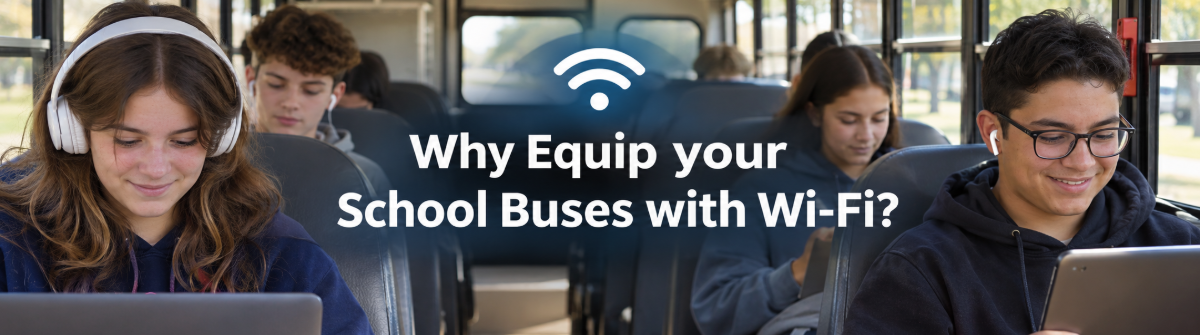
Why Equip your School Buses with Wi-Fi?
Wi-Fi on school buses is one of the most requested upgrades from students and families, and one of the least examined by the people who pay for it. For transportation directors, the key question is not simply whether students would like it. It is whether the benefits justify the equipment, recurring service, policies, and staff time.
This article looks at the benefits districts commonly report, what the investment involves, how connectivity may support the transportation operation, and when it may be better to skip it. The right answer depends on your students, route profile, and available budget.
Benefits districts commonly report
- Longer rides become usable time. Districts with long rural trips report that students can use travel time to access assignments and school resources. Outcomes depend on the district, the route profile, and how expectations are set.
- Some students gain another point of access. Districts may use equipped buses to extend access by parking them in underserved areas. This can support digital equity where students lack reliable home access.
- Some rides feel calmer. Districts report that students with a clear activity may be more engaged during a ride. That is a reported pattern, not a guaranteed behavior change.
- Buses can support instruction during extended travel. Some districts treat a connected bus as an extension of the classroom for longer trips. The value depends on what students are asked to do and whether the connection supports it.
What the investment actually involves
Price the whole service, not just the router. A school bus Wi-Fi project may require recurring work across transportation, IT, schools, and procurement.
- Hardware and installation. Ask for a per vehicle estimate for routers, antennas, mounting, wiring, installation, and any needed vehicle changes. These costs are often underestimated because a device price does not include labor or installation differences between buses.
- Recurring connectivity. Confirm how data plans are priced, whether usage limits apply, and how costs change with fleet size and student activity. This is often underestimated because usage can grow after students begin using the onboard network.
- Device policies. Decide whether the connection is for district managed devices, personal devices, or both. Set expectations for acceptable use and monitoring before launch. This is often underestimated because a network without clear rules can create extra work for transportation and school staff.
- Content filtering obligations. Determine how the district will apply its existing filtering rules and who will review exceptions or concerns. This is often underestimated because a bus network still needs defined safeguards, even though students are away from school buildings.
- Support and maintenance. Assign responsibility for troubleshooting, software updates, repairs, replacement equipment, and service calls. This is often underestimated because routers can fail, antennas can loosen, and someone must take ownership of follow up.
- Equity of rollout. Decide which buses receive service first and explain why. Partial deployment can raise questions when students on one route have access and those on another do not. This is often underestimated because equipment may be installed in stages while expectations can spread across the whole district.
What connectivity can do for the transportation operation
The pitch often focuses on student access, but a connected bus may also carry telemetry, location updates, and device connectivity used by the transportation office. A single connection decision may support tablets, tracking, and communications on the same vehicle, depending on the equipment and network design. Do not assume every router supports every use. Ask your IT staff and vendors to verify requirements, coverage, security, and data separation.
This is where school transportation technology planning belongs in the evaluation. A school transportation management plan should clarify which system depends on which network, and what happens when coverage drops. For example, ROUTEpatrol Tablet App supports drivers with route details and ridership collection, while TRIPpatrol provides vehicle location information. Connectivity requirements vary, so confirm the technical setup for your buses before treating student Wi-Fi as a substitute.
When it may not be worth it
- Very short rides. Students may have little time to sign in, connect, and use the service. If travel time is brief, the benefit may not justify the recurring costs and support needs.
- Strong home connectivity across the district. If most students already have reliable access at home, the digital equity case may be less compelling. There may still be other reasons to consider Wi-Fi, but the district should define them clearly.
- No device policy. Without rules for permitted devices, filtering, and support, the network can become a management problem before it becomes a benefit. Put the policy in place first.
- Core needs are already stretched. If the fleet needs investment in essential equipment or staffing, that may be a higher priority. A useful upgrade is not necessarily the most urgent one.
How to evaluate a pilot properly
A focused pilot can tell you more than a fleetwide purchase based on interest alone. Keep student safety and staff responsibilities in view as you define what to test. If a districtwide software rollout is also under consideration, evaluate the Wi-Fi project separately so its costs and results remain clear.
- Choose a representative set of buses. Include vehicles serving different ride lengths and areas with different coverage conditions. This produces a more useful test than equipping only the easiest routes.
- Define observable success measures in advance. Decide what you will count, such as active users, time connected, support requests, or student use of approved learning resources. This produces a clearer basis for a decision than general impressions.
- Agree on device and filtering rules before launch. Include transportation staff, school leaders, IT, students, and families in setting expectations. This produces guidance that is understood before the first ride.
- Track monthly cost against actual usage. Record the service cost per bus and compare it with use, service interruptions, and support time. This produces a clearer view of the ongoing value.
- Run the pilot long enough to see seasonal variation. Use it across different parts of the school year and check for changes in coverage, usage, and demand. This produces a steadier basis for a decision and can reveal implementation challenges.
A pilot can also help clarify how connectivity fits with the tools already in the vehicles. For instance, STUDENTpatrol supports student ridership visibility, while PARENTpatrol gives families bus location updates. ROUTEpatrol Web, DISPATCHpatrol, and LiveSYNC support other parts of the transportation program. These products serve different purposes from student internet access, so confirm how each fits your district’s network and processes.
Key takeaways
Bus Wi-Fi can make long rides more useful, extend access for some students, and support a connected vehicle. It is not automatically worthwhile for every fleet. Price installation and ongoing service, establish clear rules, consider who benefits from a partial rollout, and measure results in a representative pilot.
If you are weighing connectivity alongside other transportation needs, explore the BusBoss products and schedule a demo to discuss how your district’s tools and processes fit together. The best decision is the one grounded in your routes, your students’ needs, and the full cost of supporting the service.



 Orbit Software, Inc.

 (484) 941-0820