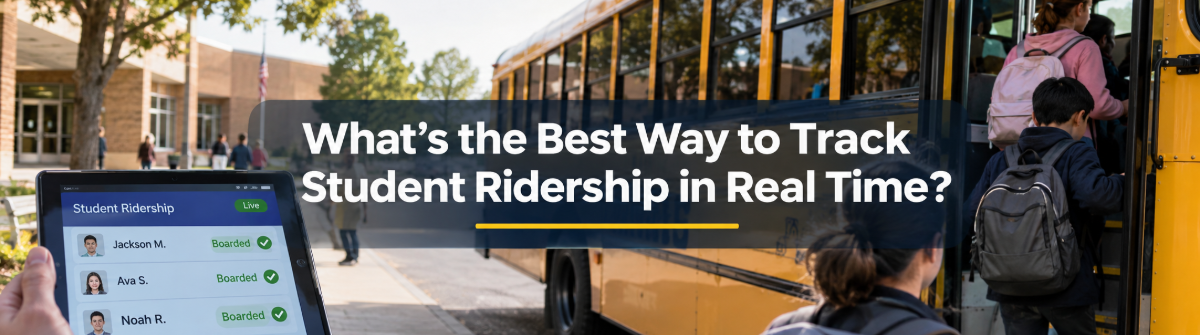
Districts often ask how to track student ridership in real time. The honest answer starts with what “real time” means here. A boarding record needs to reach the system soon enough to inform the decisions that depend on it. Connectivity gaps or incorrect student assignments can delay or distort what staff and families see.
This article walks through how a boarding event travels from the bus door to a parent’s screen, what directors should look for in a system, and how the information can support safety and family communication.
A STUDENTpatrol workflow can capture boarding and exit events through card readers or driver entry. The key is that a scan should not be treated as useful on its own. The event needs to connect to a student, a run, and a time so staff can interpret it.
As you consider school transportation technology, ask vendors to show how a record behaves in everyday situations, not just in a presentation. These checks can help you assess ridership verification and the information staff will rely on.
A district should also check whether student information stays current across its systems. LiveSYNC can keep student changes moving between BusBoss and supported district information systems. A districtwide software rollout still needs clear ownership, staff training, and a process for reviewing exceptions. Those steps help address implementation challenges before they affect daily work.
During a missing student check, a boarding record can help staff confirm whether the student boarded. During an incident or evacuation, dispatch can use the active rider list to identify who may be aboard. If a student boards the wrong vehicle, a mismatch can help staff respond sooner.
Location shows where the bus is. Ridership shows who is on it. Both matter, and together they give dispatch a clearer picture. TRIPpatrol provides vehicle location information, while DISPATCHpatrol gives dispatchers tools to manage the day’s activity. ROUTEpatrol Web can help staff view route and vehicle information.
Families trust an app more when an arrival estimate and a boarding record come from the same source. When a parent sees the bus location tied to their student’s run, the full data path has done its job. That is the practical value of real time ridership.
With PARENTpatrol, families can see bus locations and arrival estimates, and receive notifications about boarding and exiting. For directors, the goal is not simply to display a moving bus. It is to help families understand the status of their own student’s trip.
This article covers the basics. For more detailed guidance, the ridership cluster includes the audit playbook, the improvement playbook, and the troubleshooting playbook. Each explores a different question, from reviewing records to responding when information does not match expectations.
Student ridership tracking depends on a sequence of connected steps, from capture to family view. Check that records link to the right run, errors reach an accountable staff member, and data can sync after coverage gaps. Used alongside school bus tracking, ridership information supports school bus dispatch software, real-time bus dispatch, and broader school transportation management.
For a closer look at how BusBoss tools can support your district’s needs, schedule a demo. The main takeaway is simple. Useful real time ridership starts with a boarding record that is captured, connected, checked, and shared in time to help the people who depend on it.


 Orbit Software, Inc.
424 King Street
Pottstown, PA 19464
 (484) 941-0820