
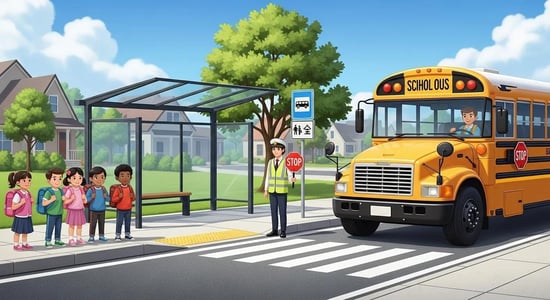
Managing school bus stops means deciding where students are picked up and dropped off so safety, access, and efficiency work together. Thoughtful stop management reduces how long students are exposed to traffic, cuts dwell time, and gives drivers predictable patterns — creating safer routines for students and more reliable schedules for districts.
This guide shows how technology and data — from student pickup/drop-off systems and route optimization engines to live tracking — turn best practices into repeatable workflows administrators can put into action now. You’ll find practical approaches for choosing safe stops, deterring illegal passing, keeping families informed, measuring hazards, and training staff. The content is organized around core operational questions and includes concrete examples of school bus safety tech and fleet telematics to show how policy becomes measurable results.
Stop-safety platforms centralize schedules, geofenced stops, and live location feeds so each pickup and dropoff has clear ownership and less uncertainty. Automating stop assignments and tying in route-optimization tools cuts roster mistakes and shortens student wait times — directly lowering pedestrian exposure. These systems also streamline communication between dispatch, drivers, and families, giving everyone a single source for ETAs and attendance. Reliable operational data supports continuous improvement and provides the audit trail administrators need to justify safety decisions.
Before the comparison table, note how software replaces manual tasks with automated workflows that scale across routes and fluctuating ridership, delivering more consistent execution across drivers and stops. The table below highlights practical differences between manual and software-managed pickup/dropoff operations.
This comparison shows how manual processes stack up against software-managed workflows on response, visibility, and recordkeeping.
|
Process Area |
Characteristic |
Typical Outcome |
|---|---|---|
|
Parent Communication |
Latency |
Paper or phone notices are slow; software sends near‑real‑time ETAs |
|
Stop Assignment |
Accuracy |
Manual edits invite errors; automated routing enforces safety and policy consistently |
|
Incident Recordkeeping |
Traceability |
Fragmented paper logs; digital records provide timestamps and audit trails |
The table demonstrates how digitized workflows improve transparency and responsiveness versus manual routines. From that baseline, districts can prioritize systems that reduce dwell time and raise situational awareness.
BusBoss includes SafeRoute planning tools and flexible routing rules that bake safety criteria — visibility, sidewalk presence, student counts, and other local policies — directly into route generation. The platform supports data exports and integrations so stop assignments sync with student information systems and dispatch tools. SafeRoute scores candidate stops based on safety attributes and time windows, helping planners balance walk distance with operational limits. By embedding stop-selection rules into routing, BusBoss helps transportation teams create consistent, auditable stop practices.
These planning features reduce ad hoc stop placement and produce defensible routing decisions that tie safety metrics to operational outputs. Planners can iterate on candidate lists and push finalized stops to driver tablet apps for smooth field execution.
Live GPS tracking gives dispatch, drivers, and parents instant visibility into bus locations, reducing uncertainty about arrivals and enabling geofenced alerts for arrivals and student checks. That situational awareness shortens risky wait windows, speeds incident response, and lets supervisors monitor route adherence and flag deviations quickly. GPS traces also support after‑the‑fact reviews — matching location data to reported incidents for validation and corrective action. When tracking links to parent apps and driver devices, the combined data stream strengthens handoff accountability and supports ongoing safety audits.
Comparing manual processes to GPS-enabled workflows highlights practical gains: faster notifications, stronger enforcement evidence, and clearer accountability that feed performance dashboards and safety programs.
Optimizing stops with technology means evaluating sidewalks, sightlines, traffic flows, and student demographics to pick locations that lower risk without compromising route efficiency. GIS layers, sidewalk inventories, and traffic counts feed scoring algorithms that produce safety ratings and ranked stop options, so planners can weigh exposure time against total route time. Technology enables scenario testing — for example, changing spacing or rerouting around construction — and quantifies trade‑offs so administrators can select evidence-based options. Consistent metrics and documented decision rules also simplify stakeholder outreach and regulatory review.
These steps create a repeatable stop-selection workflow that prioritizes safety while remaining operationally practical. Implementing them helps districts eliminate high‑risk stops and focus fixes where they deliver the biggest safety return.
Below is an EAV-style comparison showing how common stop-selection attributes map to measurable thresholds used by optimization tools.
|
Stop Selection Criterion |
Attribute |
Typical Value/Threshold |
|---|---|---|
|
Visibility |
Sightline distance |
≥ 100 feet recommended where feasible |
|
Pedestrian Access |
Sidewalk presence |
Yes / No — prefer contiguous sidewalks |
|
Traffic Exposure |
Average daily traffic |
Lower is preferable; flag >10,000 ADT for review |
Optimization systems combine spatial layers — pedestrian infrastructure, traffic volumes, speed limits, and historical incident records — to calculate safety scores and generate ranked stop candidates. Algorithms evaluate sightlines, crossing complexity, and student walk distance, then produce options planners can review. Outputs normally include safety ratings, estimated impact on route time, and recommendations for consolidation or relocation. This data‑driven method replaces anecdotal decisions with reproducible choices that planners can test and tune.
Scoring outputs let teams compare scenarios that quantify safety improvements versus operational cost, helping transportation coordinators adopt changes that reduce net risk while controlling overtime and fleet impact.
Route optimization lowers cumulative student exposure by streamlining stops and compressing schedules so students spend less time near traffic. Optimized routes are more consistent, helping drivers learn predictable patterns and reducing on‑route decision fatigue. In extreme conditions — such as severe weather or road closures — optimization engines can recalculate routes quickly to avoid hazards. Beyond safety, optimized routing supports budget goals through fuel savings and reduced driver hours, creating practical incentives for districts to adopt optimized schedules.
When route optimization is combined with stop‑level safety scoring, planners can select routes that meet service needs while minimizing total student exposure to traffic risks.
Software-driven solutions can substantially reduce illegal passing by combining detection, evidence capture, analytics, and community engagement so districts and law enforcement can act. Stop‑arm cameras capture license plates and video for admissible citations, while analytics reveal hotspot locations and peak violation times. Incident workflows collect driver reports, witness statements, and sensor logs so enforcement resources can be targeted. Together, these elements create deterrence through visible enforcement, documented evidence, and data‑backed outreach.
By turning scattered violations into actionable enforcement leads and public campaigns, districts reduce repeat offenses and protect students through coordinated data and community effort.
Stop‑arm cameras act as both deterrent and evidentiary source by pairing timestamped video with GPS location and route identifiers. With documented violations, districts can work with police to pursue citations and build public awareness campaigns that reinforce safe driving. Camera footage also supports pattern analysis — showing where illegal passing spikes so planners and law enforcement can allocate resources effectively. To be effective, integrations must ensure synchronized timestamps with GPS data and clear chain‑of‑evidence workflows for coordination with authorities.
Operational safeguards around timestamps, storage, and evidence handling maximize camera impact while preserving procedural integrity.
Driver reporting tools capture near‑misses, obstructed stops, and illegal passing in structured templates that feed analytics and remediation queues. Standardized reports improve data quality and let districts aggregate small incidents into trend lines that reveal systemic problems. Community awareness programs, informed by hotspot maps and timed enforcement windows, educate neighbors and make enforcement visible. Feedback loops between driver reports, analytics, and outreach let districts adjust stop placement, schedules, or enforcement based on evidence.
Together, driver reports and community programs create a cycle where issues are surfaced, prioritized, and addressed — reducing curbside risk through coordinated action.
Clear communication connects parents, drivers, dispatch, and administrators so everyone has accurate, timely information about pickups and dropoffs. Parent mobile apps, dispatch alerts, and administrative dashboards serve different audiences but must share consistent data to avoid confusion. Better communication cuts late arrivals at stops, improves handoffs, and speeds incident notification. Standard templates and notification rules keep messages concise, timely, and privacy‑aware, preserving trust while enabling quick response.
The next section explains how parent-facing apps work and the privacy steps districts should take when sharing location and student status with families.
Parent apps deliver ETAs, geofenced arrival alerts, and optional check‑in notifications so families know when students will arrive and when handoffs happen. These features reduce anxiety and prevent unsafe early or late curbside gatherings by aligning parent timing with actual bus movement. Privacy controls and opt‑in settings let districts limit shared data to trip windows and restrict access to authorized guardians. When parent apps integrate with dispatch and driver devices, they create a closed data loop that improves situational awareness while protecting student information.
Thoughtfully deployed parent apps reduce unsanctioned stop crowding and support orderly handoffs without exposing sensitive data outside approved windows.
Dashboards consolidate incident analytics, route performance, and stop safety ratings so administrators can prioritize actions and monitor remediation. Key KPIs include incident counts, illegal‑passing trends, on‑time performance, average dwell time, and stop safety score distributions. Dashboards should let users drill into hotspot maps and export reports for audits or stakeholder meetings. A regular cadence — weekly for operations, monthly for safety trends — keeps leadership informed and enables data‑driven resource allocation.
By combining high‑level trend views with stop‑level detail, dashboards turn data into prioritized actions that improve safety and efficiency.
Data‑driven hazard assessment uses standardized metrics — illegal passing counts, visibility scores, and pedestrian exposure — to evaluate stops objectively across a district. Analytics use those metrics to prioritize remediation (signage, enforcement, or relocation) where the safety return is highest. Well‑documented assessments also support regulatory compliance and give transportation directors defensible records for audits. This systematic approach converts scattered observations into prioritized action plans that reduce risk and show due diligence.
Below is an EAV‑style table listing common hazard metrics, their definitions, and how districts often interpret thresholds for action.
|
Metric |
Description |
Threshold / Action |
|---|---|---|
|
Illegal Passing Incidents |
Recorded violations per year |
>5 per year: prioritize enforcement |
|
Visibility Score |
Composite sightline and obstruction rating |
Low: schedule immediate field review |
|
Student Exposure Time |
Average minutes students wait near traffic |
>10 minutes: evaluate stop consolidation |
Core metrics include incident frequency (illegal passing and near‑misses), visibility or sightline scores, pedestrian infrastructure presence, student volume per stop, and average student wait time. Data sources vary: camera logs and driver reports for incidents, GIS inventories for sidewalks, and routing systems for student counts and exposure. Districts set action thresholds — for example, a low visibility score or an incident cluster — to trigger remediation. Relying on multiple complementary metrics yields a more complete picture and avoids decisions based on a single indicator.
Using these metrics helps prioritize investments so interventions address root causes, not just symptoms, of unsafe stop conditions.
BusBoss delivers analytics and reporting dashboards that create audit trails and exportable reports useful for regulatory reviews and internal compliance checks. Role‑based access and data‑privacy controls let administrators limit who can see sensitive movement details. Audit logs record edits to stop assignments and route changes, providing documented justification for operational decisions. These capabilities help transportation leaders maintain compliance while using data to improve safety.
For districts that need implementation help, BusBoss’s mix of routing, GPS integration, and parent/driver apps provides a platform to align daily operations with compliance and data governance requirements.
Effective stop management starts with practical training on stop procedures, student supervision, incident reporting, and emergency communication. Training should use behavior data so coaching targets observable actions — for example, consistent stop procedures and smooth braking. Scenario‑based drills (bad weather, obstructions, medical events) prepare staff for real‑world variability. Ongoing coaching informed by behavior metrics reinforces safe habits and links training to measurable performance improvements.
Below is an actionable list of core training modules districts should include in a continuous improvement program.
These modules form a cohesive program that turns policy into practiced routines, ensuring drivers and staff apply the same safety measures at every stop.
Behavior monitoring tracks events like excessive speed, harsh braking, and route deviations and links those behaviors to incident risk. When monitoring feeds structured coaching, managers can reduce risky driving with targeted feedback. Over time, aggregated data reveals patterns — specific times or routes with elevated risk — that inform scheduling or retraining. Integrating monitoring into performance reviews ties accountability to measurable safety outcomes and encourages continuous improvement.
Objective metrics combined with supportive coaching turn telematics into safer on‑road decisions and better student experiences.
A clear five‑step emergency protocol improves outcomes: secure immediate safety, notify dispatch and authorities, inform parents using approved templates, document the event with timestamps and attachments, and run a post‑incident review to guide remediation. Communication templates should be concise — what happened, what was done, and next steps — while dashboards ensure timely escalation to the right administrators. Standardized formats and timelines speed response and produce consistent documentation for follow‑up and compliance. Regular drills and after‑action reviews turn incidents into learning opportunities that reduce repeat mistakes.
Consistent use of incident templates and centralized dashboards ensures critical events are handled quickly, recorded completely, and reviewed for improvement.
Technology gives districts real‑time visibility, clearer communication, and smarter routing. GPS tracking and parent alerts reduce uncertainty and help families time pickups safely. Analytics identify safer stop locations and show where to invest in signage, enforcement, or infrastructure. The result is lower risk, smoother operations, and better use of limited resources.
Use multiple, consistent channels — mobile apps, email, and community meetings — and keep messages short and actionable. Share clear pickup/dropoff procedures, emergency contacts, and reporting instructions. Regular updates and feedback loops build trust and keep families engaged in safety practices.
Community programs educate drivers and neighbors about school bus laws and safe behavior. Workshops, outreach campaigns, and partnerships with local law enforcement raise awareness about illegal passing and pedestrian safety. Involving the community creates shared responsibility and reinforces safe practices around stops.
Analytics reveal incident trends, traffic patterns, and student volumes so coordinators can target high‑risk areas for fixes like signage or stop moves. Analytics also let districts measure the impact of interventions and continuously refine strategies to focus resources where they boost safety most.
Train drivers in safe driving techniques, emergency protocols, and accurate incident reporting. Include scenario‑based drills for weather, obstructions, and medical events. Ongoing coaching using performance metrics helps reinforce safe behaviors and maintain high standards.
Use regular audits and data analysis. Track KPIs like incident counts, illegal‑passing rates, and student wait times, and gather feedback from parents and drivers. Monitoring these indicators and adjusting strategies keeps safety measures responsive and effective.
Common challenges include budget limits, change resistance, and training needs. Securing funding, engaging stakeholders early, and providing ongoing support and training help overcome barriers and ensure successful adoption.
Adding technology to school bus stop management strengthens safety by optimizing stops and routes, improving communication, and delivering real‑time data. These improvements reduce risk, simplify operations, and support compliance. With data‑driven decisions and repeatable workflows, districts can create safer daily commutes for students. Learn how our solutions can help you make every stop safer.


 Orbit Software, Inc.
424 King Street
Pottstown, PA 19464

 (484) 941-0820